☑️ Delete a Role in ParcVu Desktop
Last updated 9 months ago
To access this area of the system the user will need either need the Supervisor Account or to have the Superuser and Allow System Maintenance Menu user permissions
Go to System Maintenance Sub Menu > Maintain Users > Role Maintenance
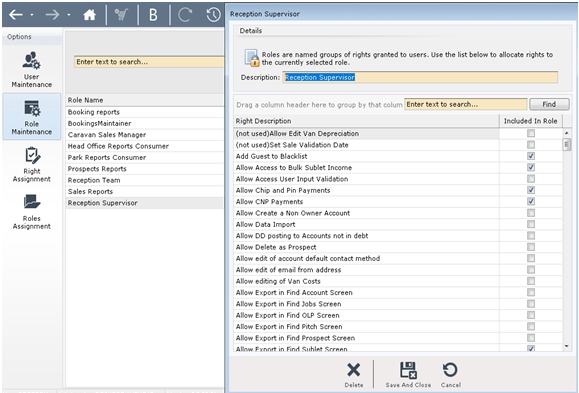
Double click on ‘Role’ to be deleted and the pop up screen will be displayed.
/

You should not delete a role which is currently assigned to a User, as this will impact their access within ParcVu Desktop. Ensure you remove the role from all Users before deleting