Delete a User in ParcVu Desktop
Last updated 3 days ago
System Maintenance is Now Available in ParcVu Online!
This function is now available in ParcVu Online! For the best user experience, we recommend switching to ParcVu Online to ensure you always have access to the latest features. Find out more about User Maintenance in ParcVu Online here: Delete a User in ParcVu Online
Continue in Desktop
To access this area of the system the user will need either need the Supervisor Account or to have the Superuser and Allow System Maintenance Menu user permissions
Go to System Maintenance Sub Menu > Maintain Users
From the ‘Users’ Details screen, double click on the required User to select them and then select ‘Delete User’ at the bottom of the pop up screen.

Confirm ‘Yes’ to the ‘Delete User’ message
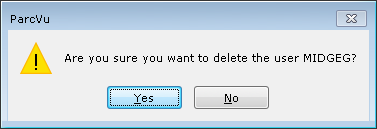
Delete User doesn’t remove the history of the User from the system, it simply deactivates the User Account and hides it from the active list. You’ll still be able to see their past actions, and audits won’t be changed
Deleted a User in error, or have a returning team member? Find out how to reinstate a deleted User here: Reinstate a Deleted User
Was this helpful?
Still need help? Share an idea