☑️ Re-Pitching an Existing Owner in ParcVu Desktop
Last updated 6 months ago
If an Owner and their existing Holiday Home are moving to another Pitch on the same Park, you can move their Account without requiring a Sale or OLP process
Navigate to the vacant Pitch that the Owner is moving to, and select Alter Status > Move Owner and Van > Next
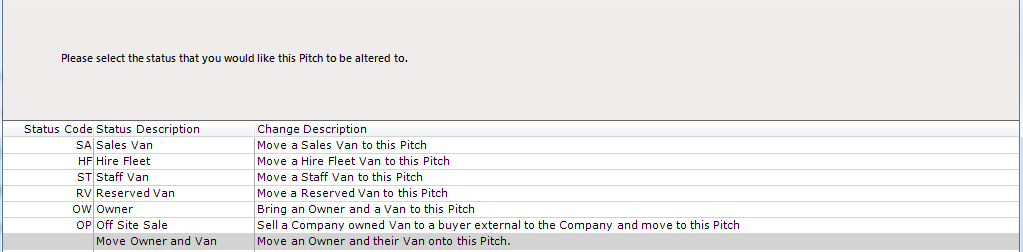
You will notice there are 2 similar-sounding options, ensure you select the bottom option, Move Owner and Van
Click and a message reminding you to ‘Read Gas & Electric’ meters will appear, click ‘Ok’ and ensure all relevant readings are taken and put on the Owners Account, the closing reading prior to moving pitch and the opening reading once the Owner is on the new pitch
Ensure that the closing readings are added to the Account while the Owner is still on their existing Pitch - this is essential for correct onward billing. If necessary, exit the Status Change flow and enter these readings now. For more information on entering Utility Readings, see the article collection Manage Fuel (Utilities) in ParcVu Desktop
Click ‘Next’, the ‘Find Account’ screen will be displayed. To find the required Owner Account, enter the details into one of the search options available and click find>>
Click on the relevant Owner Account to highlight it, then click ‘Next’

Click ‘OK’ to the Van Safety Check message and then ‘Finish’
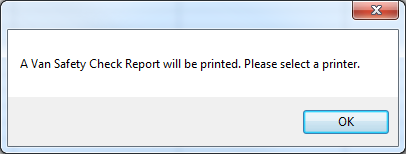
The Van Safety Report will display and print out, indicating that the Van will need Re-Testing once moved
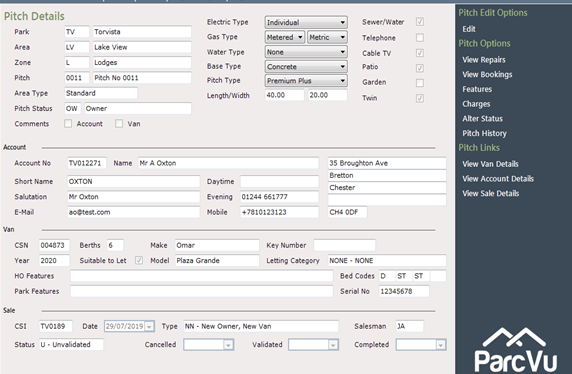
The Pitch Details, showing the Owner and his Van has now been moved onto the selected Pitch.