☑️ Account Flags in ParcVu Desktop
Last updated 6 months ago
To access this function the user will need the Allow Access System Submenu permission
It is possible to View or Amend the Account Flags on an Owners Account on a ‘Global’ basis rather than by individual Owner Accounts.
The Home Screen go to System Maintenance Sub Menu > Easy Maintenance of Account Flags

Updating Account Flags for All Accounts in ParcVu Desktop
To view All Owner accounts, click into the Radio Button marked ‘Account No’, leave the field blank and click find>>
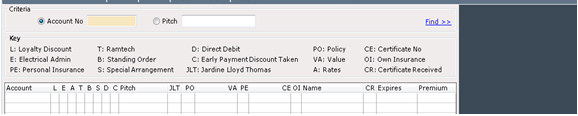
The system will then display all the Accounts on the selected Park in account Number order and show their current Flags. It is also possible to select this for ‘All Parks’.

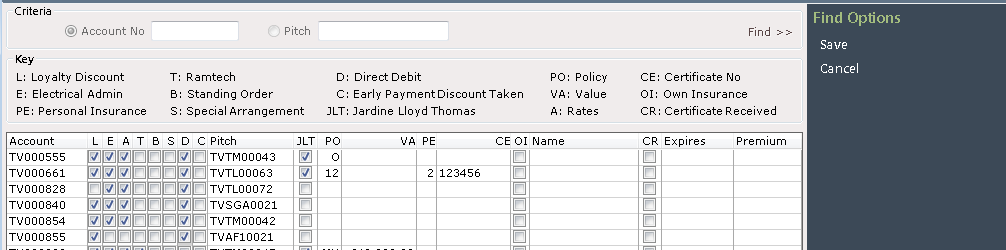
If you wish to amend any ‘Account Flags’, select ‘Edit’ from the navigation list on the right.
Click into the box (es) at the side of the required Account(s) to ‘Flag’ or ‘Un-Flag’ as required. Once finished, select ‘Save’ from the Navigation list on the right and any changes will be ‘Saved’.
Updating Account Flags for a Specific Account in ParcVu Desktop
If you want to view a particular Account , then enter the Account Number into the ‘Account No’ field and your selected Account will appear at the top of the list displayed, it will also list all following accounts in Account Number Order
Sorting Accounts in Pitch Order When Updating Account Flags in ParcVu Desktop
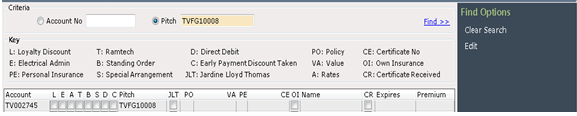
You can also choose to carry out the search in ‘Pitch No’ order if required by selecting the ‘Pitch No’ Radio Button.