☑️ Entering ‘Invoice’ & ‘Transport’ Information in ParcVu Desktop
Last updated 9 months ago
There are 2 different permissions relating to invoices, allowing you to give additional access to specific users where required. These are Edit van invoice details before locking and Edit van invoice details after locking
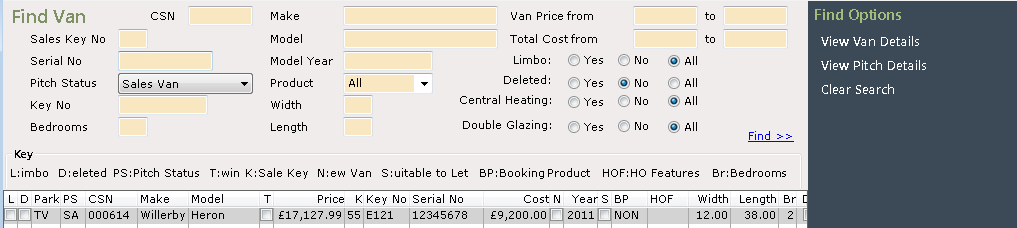
Use the search options to find the required Van or enter the Van CSN Number in the CSN field if known and click
Click on the required ‘Van’ in the list displayed to highlight it, then, select ‘View Van Details’ from the Navigation list on the right of the screen.
The ‘Van Details’ screen will now be displayed, click on the ‘Costs’ tab
along the centre of the screen
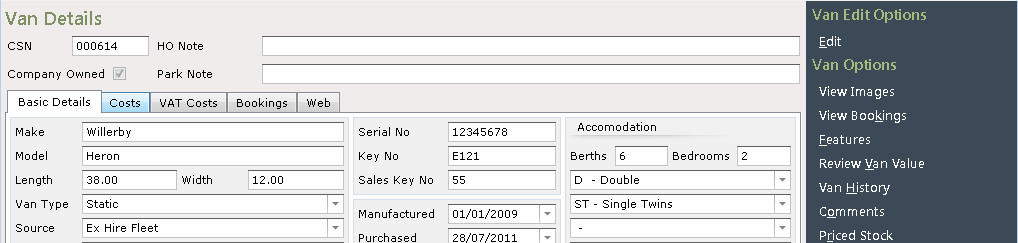
Select ‘Edit’ from the Navigations list on the right of the screen.
The ‘Caravan’ and ‘Transport’ fields will now be highlighted, enter the ‘Invoice Numbers’, then enter the ‘Dates’ using the drop-down Calendar on the side of the field.
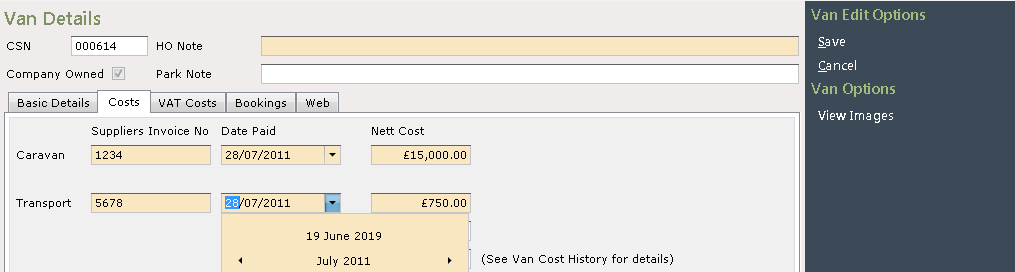
Click ‘Save’ from the Navigations list on the right and the details will now be recorded to the ‘Van Details’.

Click on the tab at the top of the screen to return to the Main Menu.