☑️ Setting The 'Normal Usage' Percentage in ParcVu Desktop
Last updated 7 months ago
Utility Billing Is Now Available in ParcVu Online!
This function is now available in ParcVu Online! For the best experience, we recommend switching to ParcVu Online to ensure you always have access to the latest features
Continue Using ParcVu Desktop:
This feature is used in the Bulk Fuel screen to flag potential issues with meter reads, by checking the new usage against the previous usage. If a meter reading is more or less than the previous read by the threshold set, the reading will be shown in red so the User knows to double-check the reading prior to billing

To access this function, the User will need to be a Head Office User and have the Allow System Maintenance Menu permission
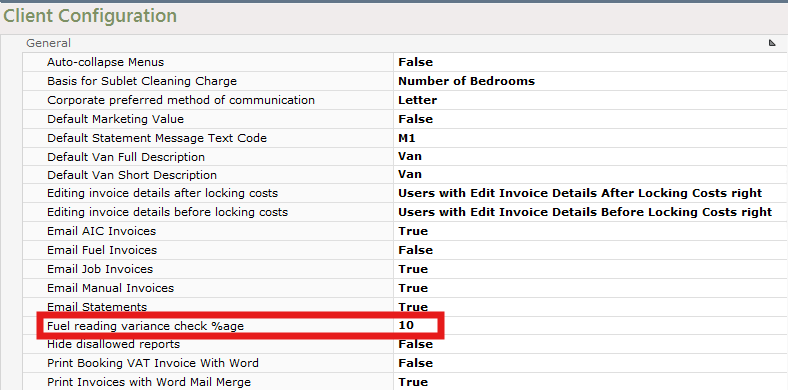
Go to System Maintenance Sub Menu > Client Configuration > Fuel reading variance check %age
Set the % threshold which your business considers a ‘normal’ variance in usage
For example, setting this at 10% means any readings which result in a 10% more (or less) usage than the previous bill will be flagged for checking
When set, as the closing readings are entered any readings that fall outside of the percentage value will be highlighted in red to alert to a possible incorrect reading that needs to be checked.
Meter readings cannot be reversed once the invoices are posted in ParcVu Desktop. We therefore recommend all Users are aware of what a reading appearing in red means, and that meter readings are always sense-checked prior to invoicing