☑️ Jobs Dashboard in ParcVu Desktop
Last updated 9 months ago
The User Right called Allow Access to Jobs Dashboard is required to use this feature
Click the Dashboard icon from the main navigation bar

Once selected the Jobs Dashboard will be displayed. This will show Bottled Gas and Jobs at the various statuses in ParcVu.
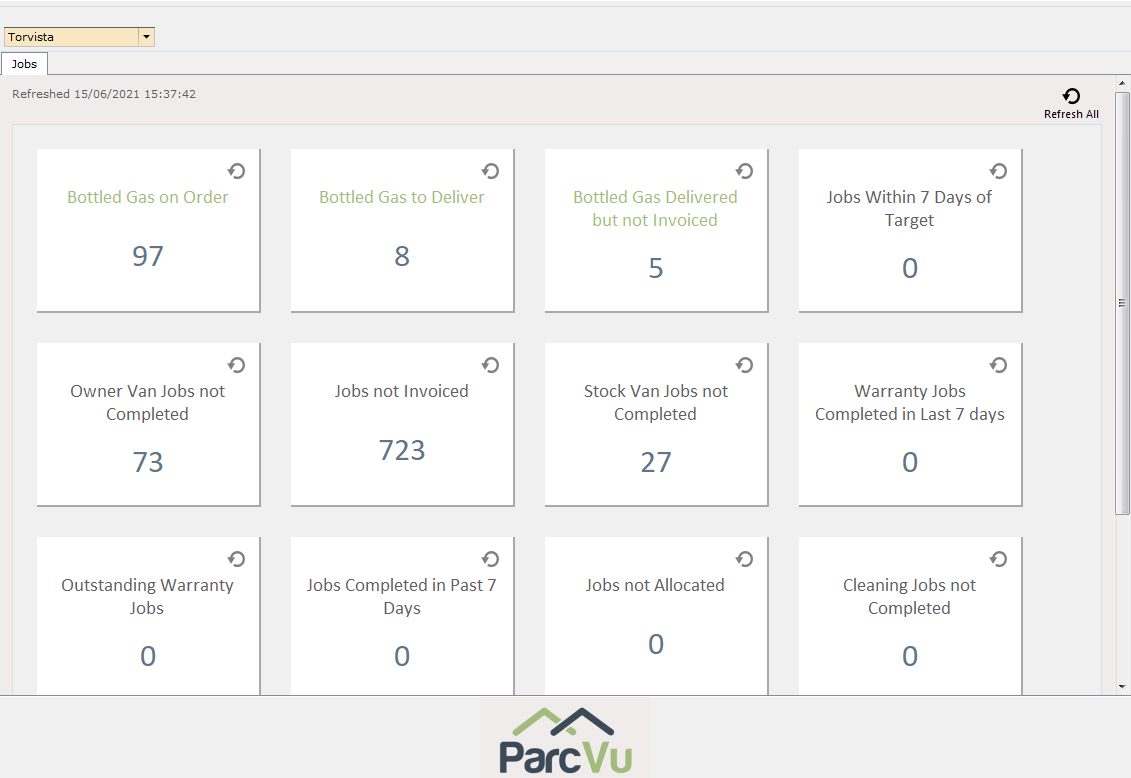
Clicking on an option will display the details in a grid view (you may need to click the screen behind the dashboard to view the grid)
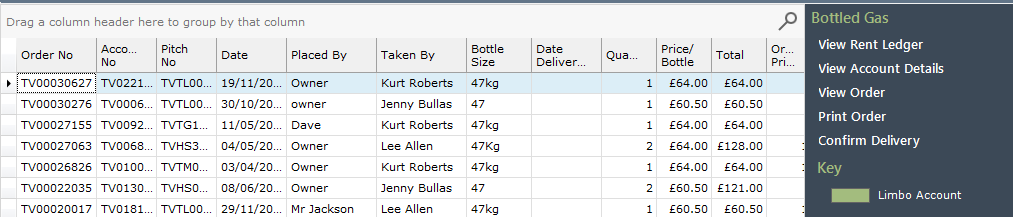
Click on the required entry line in the grid and then select the required action from the navigation list