☑️ Set Up Sublet Commissions in ParcVu Desktop
Last updated 8 months ago
The Sublet Commissions function in ParcVu Desktop is only available to existing customers who previously signed up for the legacy ParcVu Bookings module. New subscribers will be offered enrolment in the Booking Experts module. Existing customers using legacy Bookings will be offered the opportunity to upgrade to Booking Experts - contact your Account Manager for more information
If there are Owners who will be Sub-letting their Caravans through the Company, then a Commission Rate for monies earned on Bookings needs to be set up in ParcVu. ‘Sublet Commissions’ also need to be set against ‘Accommodation Products’
Add Commission Rates in ParcVu Desktop
To access this functionality, the user will need the Allow Access System Maintenance Menu permission
Go to System Maintenance Sub Menu > Maintain Lookups > Commission Rates
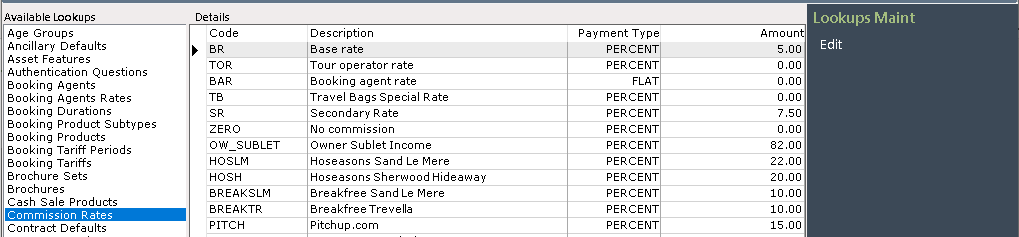
Click ‘Edit’ on the Navigation list on the right and the ‘Details’ screen will be highlighted.
Click into the first blank line in the ‘Code’ column and type in the Code for the Sublet Commission, then click into the ‘Description’ column and enter the required Description.
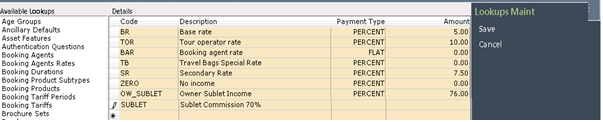
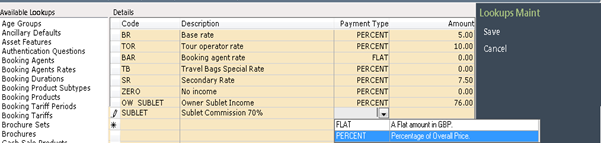
Click into the ‘Payment Type’ column and selected the required type from the dropdown list.
Click into the ‘Amount’ column and enter the Commission Amount, select ‘Save’ on the Navigation list on the right.
The details will now be updated on the system.
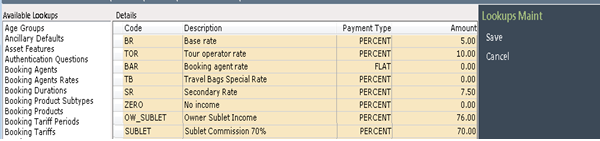
In the above example the Commission Rate will be calculated as 70%
The commission rate here is the % that the Owner will receive, prior to any other charges being applied. So a rate of 70% means the Owner’s ‘starting point’ for income (prior to cleaning charges etc) being deducted will be 70% of the break price
Add Sublet Commission to Accommodation Booking Products in ParcVu Desktop
‘Sublet Commissions’ should be set up against all ‘Accommodation’ Product Types on each Park, so that if an Owner decides to sublet their Van, the Sublet Commission will already be correctly set.
To access this functionality, the user will need the Allow Access System Maintenance Menu permission
Go to System Maintenance Sub Menu > Maintain Lookups > Sublet Commissions
Select the Required Park using the dropdown list in the ‘Park’ field.
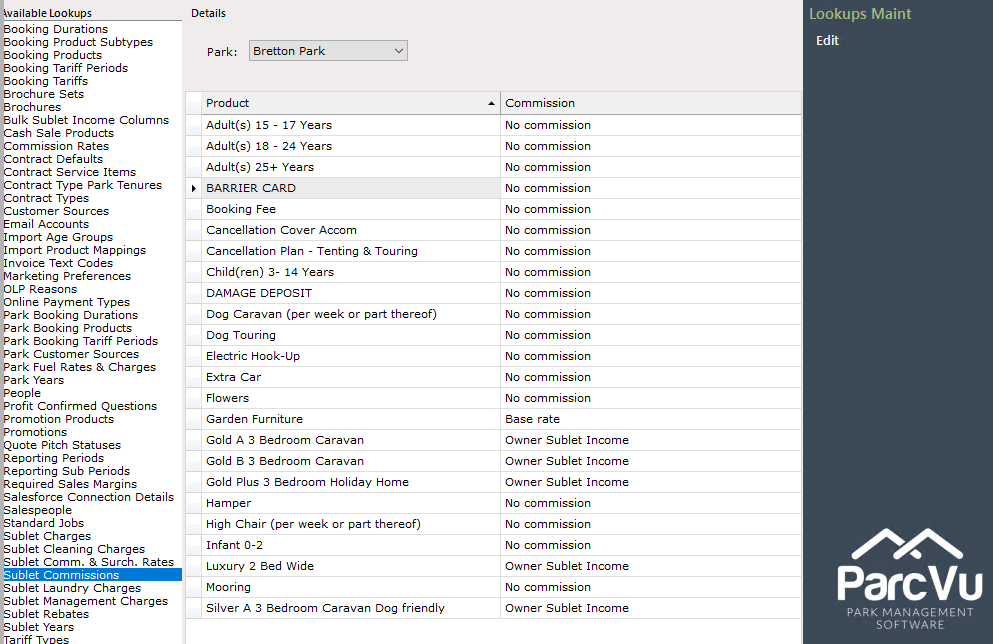
Select ‘Edit’ from the Navigation list on the right and the ‘Details’ screen will be highlighted.
Click into the ‘Commission’ column next to the first product to be set and use the dropdown list to select ‘Sublet Commission’
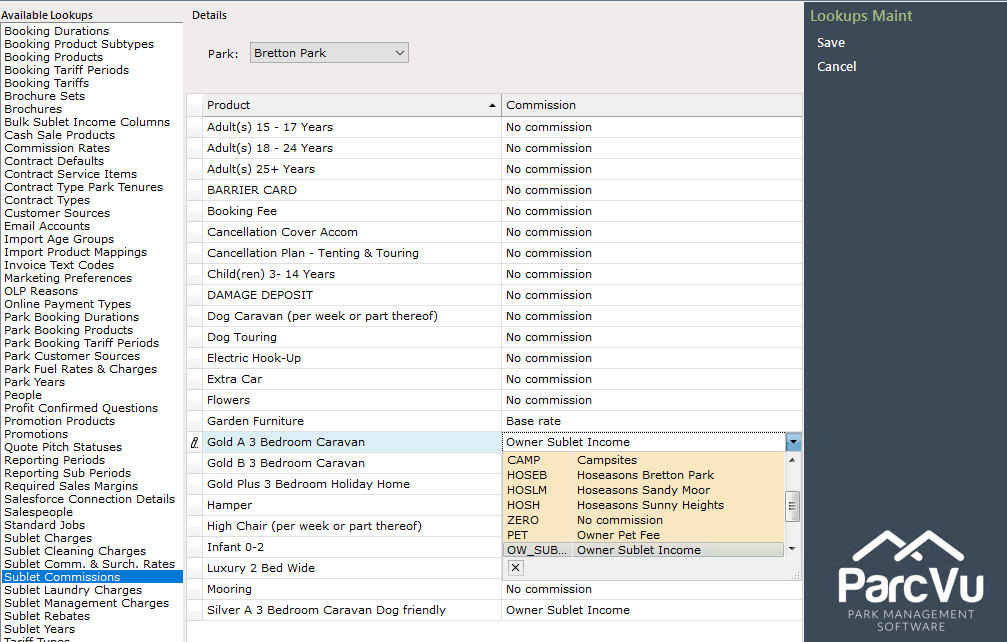
Continue until all required Accommodation Products are set.
When finished, click ‘Save’ on the Navigation list on the right.
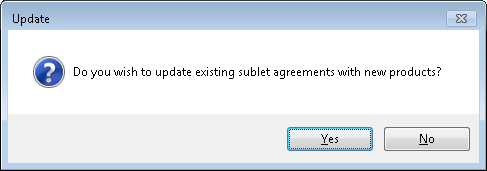
When saving, the user will be prompted to decide whether to update existing sublet agreements with the new rates. This should be considered carefully before proceeding - if the new rate applies only to future agreements, the user should select ‘No’
Update Rates on Sublet Agreements in ParcVu Desktop
To use this function, the user will need the Can Edit Sublets permission
If a new Sublet Commission Rate is set up, or an existing one amended in ParcVu, then this will need to be manually updated on any Owner Sublets that require it.
To do this, navigate to the Sublet Owners ‘Van Details’ screen and select ‘View Sublets’ from the ‘Van Links’ section of the Navigation list on the right.
Click onto the Sublet Record detail line to highlight it and then select ‘View Details’ from the Navigation list on the right.

The sublet Details screen will then be displayed, click on the ‘Commission’ tab.

Any current ‘Commission’ details will be displayed.

Select ‘Edit’ on the Navigation list on the right and then click back on the ‘Commission’ tab and the screen will be highlighted.
Click into the ‘Commission Rate to Customer’ column in the ‘Owners Van Product Type’ section and use the dropdown list to find and select the new Commission Rate.

Click ‘Save’ on the Navigation list on the right and the new Commission Rate will be updated on the system.
Click on ‘View Details’ on the Navigation list on the right and then click on the ‘Commission’ tab and the new details will be displayed.

If there are Bookings already assigned to the Holiday Home, the commission rate will not update automatically. Bookings are paid at the rate on the Sublet Agreement when the Booking is Assigned
To update the commission rate on an existing Booking, it will need to be unassigned and then reassigned, at which point the new rate will be picked up