☑️ Create a Non-Owner Account in ParcVu Desktop
Last updated 6 months ago
To access this functionality, the user must have the Allow Ledgers Submenu and Allow Create a Non-Owner Account permissions
In some cases, you may wish to have a limbo Account without an active Owner Account or Bookings attached
From the Home Screen go to Ledgers Sub Menu > Create a Non Owner Account
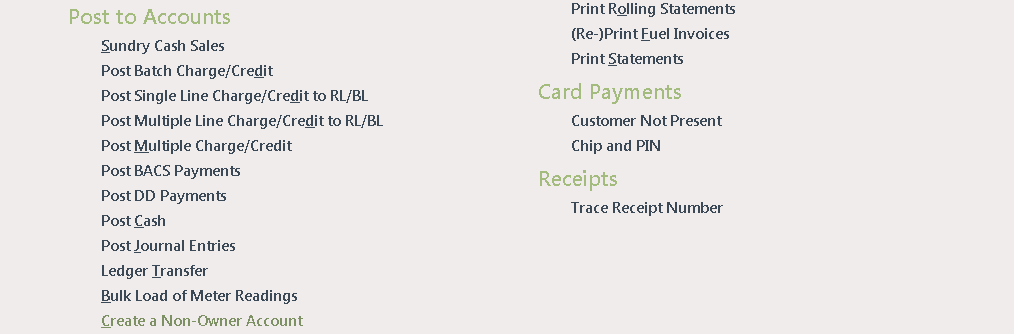
This option is only available to select if a Park is set in the top right hand corner of ParcVu Desktop. If set to All Parks, this option will be greyed out
Enter the Postcode for the new Account customer and click ‘Next’ at the bottom of the screen.
If the customer already exists, their details will be shown on the list displayed, clicking on the customer line to highlight that information and removing the tick from the ‘Not in the list’ field at the bottom of the screen and clicking ‘next’, will display the existing Account details.
If the customer is not in the list, just click at the bottom of the screen and a blank details screen will be displayed for entry of new customer details.

Enter all Owner Name, Address, Contact details and Account Source and click at the bottom of the screen. A popup message will confirm that the Non-Owner Account has been created and will show the Account Number.
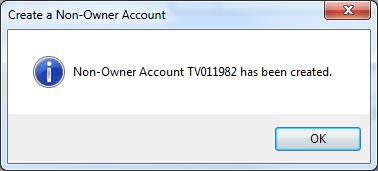
If the customer does not have an existing non owner account, then a new account will be created on completion of the wizard. If an existing non-owner account is chosen in the wizard, then any changes made will just update the existing account rather than creating a new one