☑️ Edit an Area or Zone in ParcVu Desktop
Last updated 9 months ago
To access this area of the system, the User will need the permissions Allow access System Maintenance Menu and Access Maintain Park Structure
Go to System Maintenance Sub Menu > Maintain Park Structure
The Park must be selected in the top right corner for this menu option to be available - if the option is greyed out, ensure you have a Park selected
Click on the required Area/Zone, select ‘Edit Node’ from the Navigation list on the righthand side of the screen

The ‘Edit Area’ field will appear, type the New Information in the Area/Zone field(s), click ‘OK’ when finished.
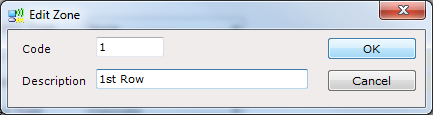
The New Information will them be recorded on the system.
