☑️ Set up an Existing Owner as a Part Exchange Prospect in ParcVu Desktop
Last updated 9 months ago
Prospects can be used for monitoring Part Exchange Opportunities as well as nurturing new leads
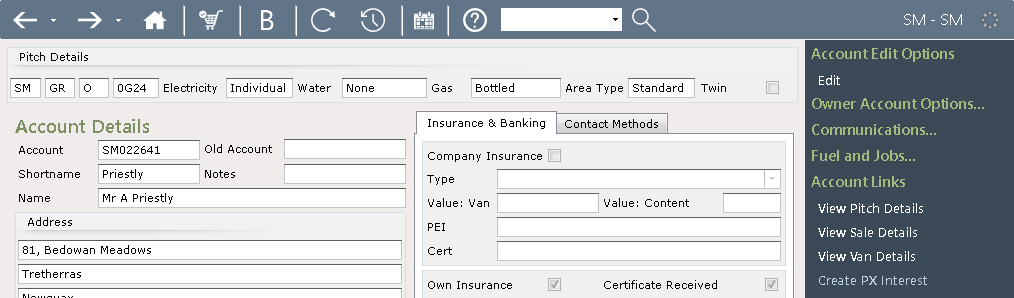
From the Owner’s ‘Account Details’ screen, select ‘Create PX Interest’ from the Navigation list on the right.
The created Prospect number will be displayed
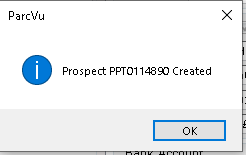
Click ‘OK’ and a link to view the Prospect Details will be shown on the navigation list
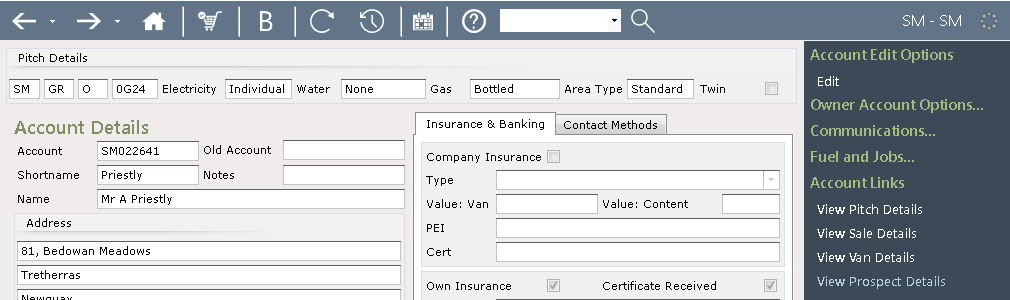
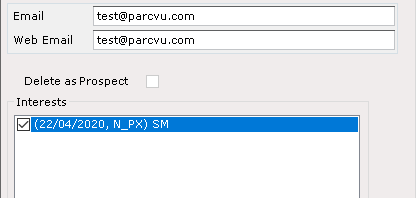
Click on the link and the ‘Prospect Details’ screen will then be displayed, showing the Owner with a PX Interest at the current Park
Double click on the ‘Interest line’ in the ‘Interests’ field
The ‘Interest Details’ screen will be displayed. Select ‘Edit’ from the Navigation list on the right, use the drop-down list in the ‘Salesman’ field and select the required Salesman from the list.
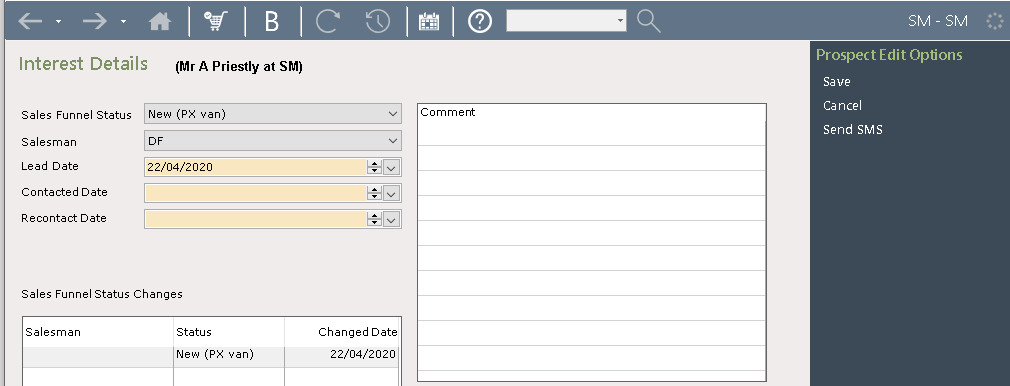
Select ‘Save’ from the Navigation list on the right and the details will be updated on the system. The Owner / Prospect can now be updated as usual, be adding Appointment details and Comments etc.
The potential Part Exchange can then be monitored through to completion, or have reasons recorded why the PX did not proceed. Keeping records of potential Part Exchange sales gives you a clear picture of your pipeline and allows the Sales Manager to spot potential opportunties