☑️Setting a Recontact Date for a Prospect in ParcVu Desktop
Last updated 10 months ago
Remember, the Prospect represents the person themselves, and their contact information. The Interest represents the ‘lead’ - the Park they’re interested in. Hence, the appointment is set against the Interest, as it relates to looking at Holiday Home Ownership at a specific Park
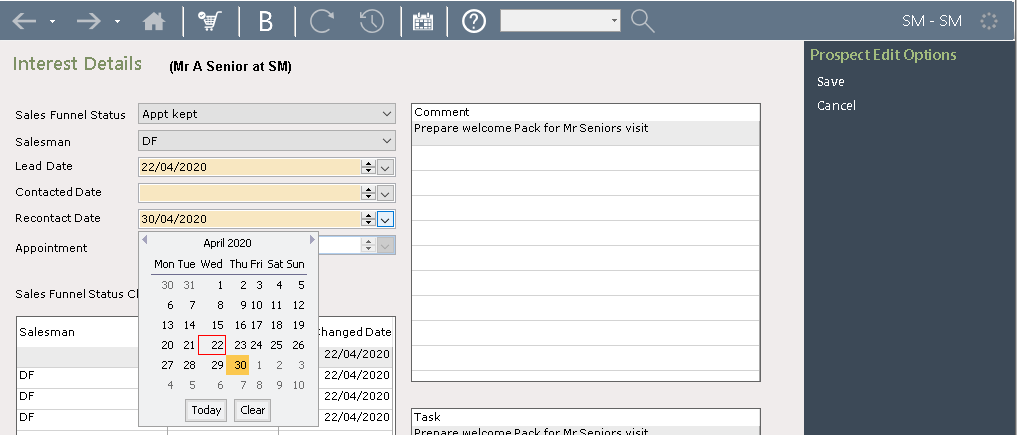
To set a ‘Recontact date’ for a Prospect, navigate to the ‘Interest’ screen and select ‘Edit’ from the navigation list. Select the required recontact date and then select ‘save’ on the navigation list
Was this helpful?
Still need help? Share an idea