☑️ Bulk Add or Remove Users Rights in ParcVu Desktop
Last updated 9 months ago
To access this area of the system the user will need either need the Supervisor Account or to have the Superuser and Allow System Maintenance Menu user permissions
Bulk Assign Rights
It is possible to assign or remove User rights to individual Users in bulk. This is particularly useful where a new right is added, or was missed out when the Users were originally created
Go to System Maintenance Sub Menu > Maintain Users > Right Assignment
Rights and Users are both searchable to make the process easier
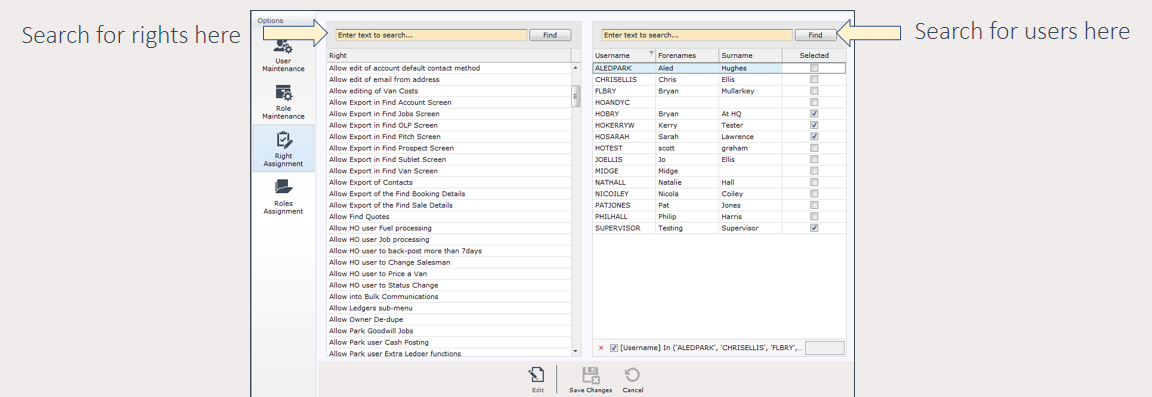
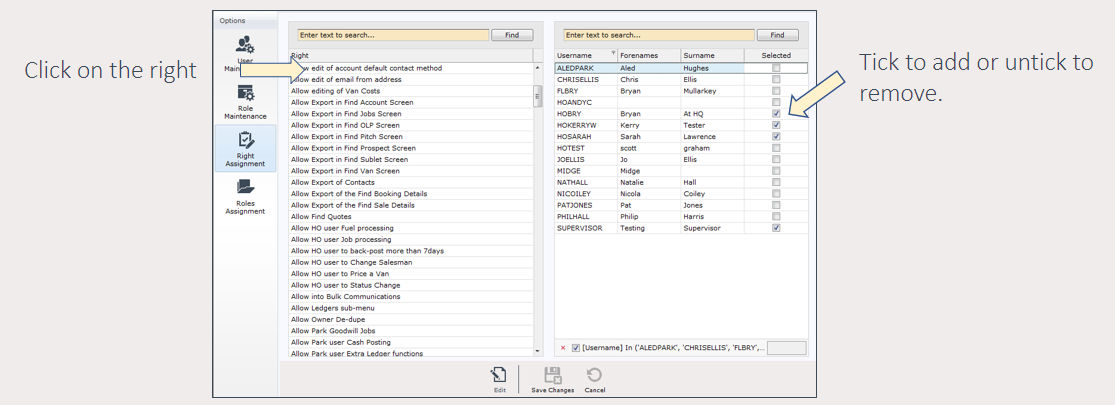
Click Edit, highlight the User right, then tick (or untick) the relevant Users to assign/unassign the Right
Bulk Assign Roles
It’s possible to assign a Role to multiple Users in bulk. This is particularly useful for updating existing users if you’d like to move from individual permissions towards role-based
Go to System Maintenance Sub Menu > Maintain Users > Roles Assignment > Edit
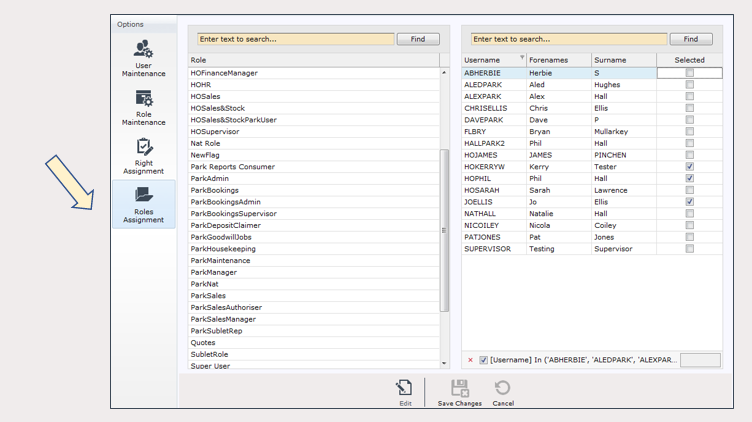
Select the Role you want to assign on the right, then select the relevant User(s)
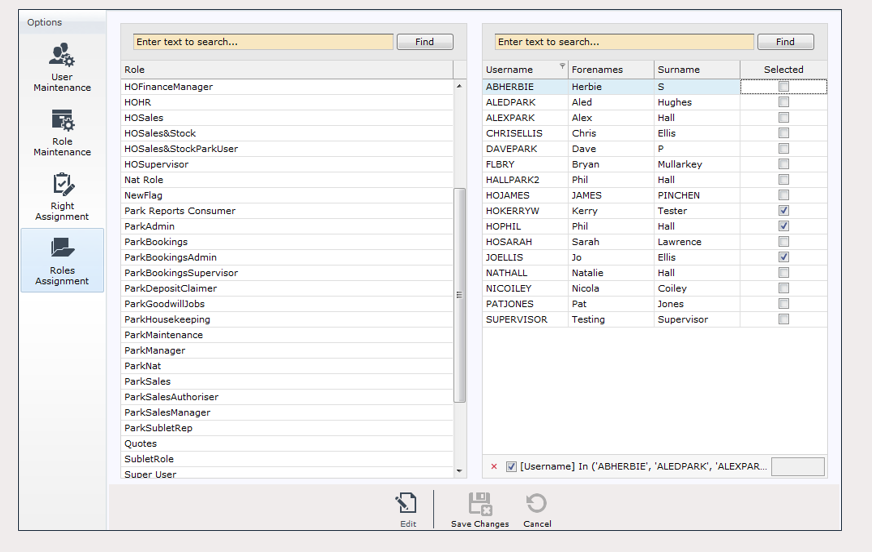
Save changes once finished
Users will need to log out and back in again to see the effect of any changes