☑️ Delete a Van in ParcVu Desktop
Last updated 9 months ago
To access this area of the system, the User will need the permission Allow Access System Sub Menu
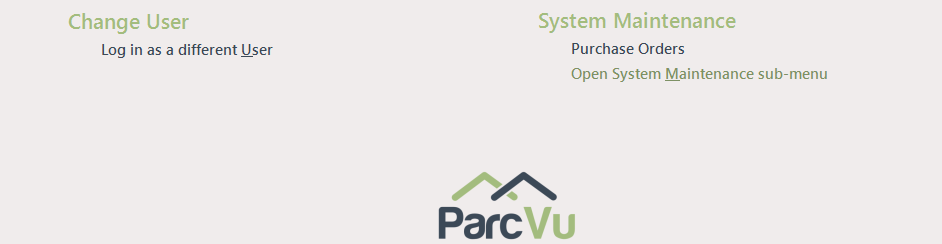
From the System Maintenance section, select ‘Open System Maintenance sub menu’
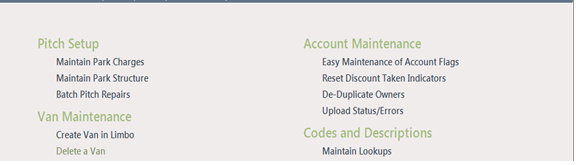
Select ‘Delete a Van’ from the ‘Van Maintenance section
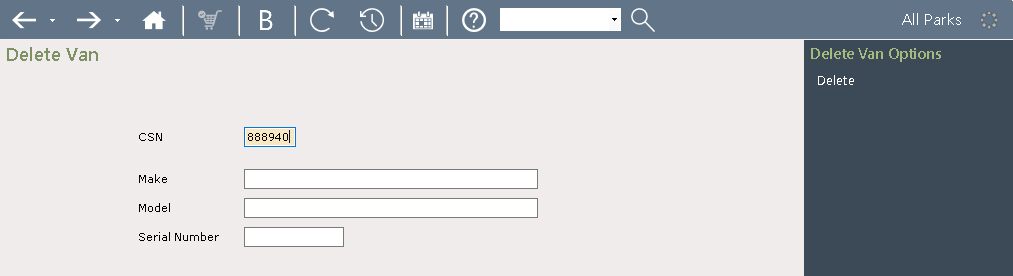
Enter the Van CSN Number and click ‘Delete’ from the Navigation list on the right.
To delete a Holiday Home, it must be in Limbo (not on a Pitch) - if the Holiday Home you need to delete is still pitched, follow the instructions for Putting A Holiday Home into Limbo in the Transfer A Holiday Home Between Parks guide
The Van Description will be displayed, confirm, ‘Yes’ to the ‘Delete Van Message’.
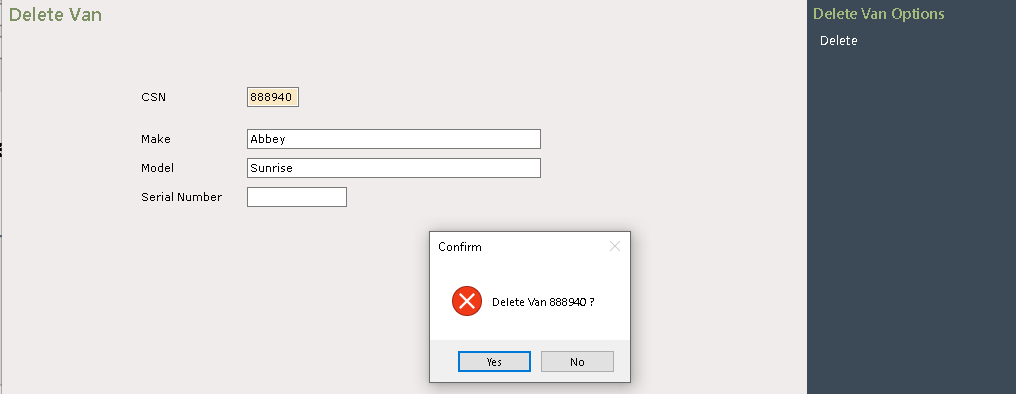

The Van will now be ‘Deleted’, click on the tab to return to the Main Menu.
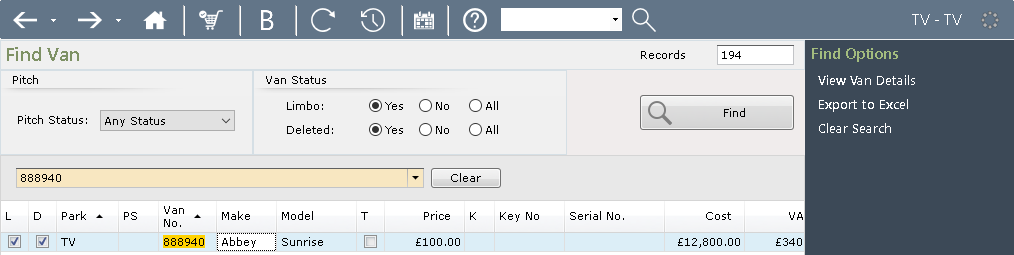
The Van will no longer show on any ‘Van Searches’ however, it will remain on the system marked as ‘Deleted’ and can be viewed from the ‘Find Van’ screen by selecting the ‘Deleted’ Radio Button
Reinstating A Deleted Holiday Home in ParcVu Desktop
To access this area of the system, the User will need the permission Allow access System Maintenance Menu
If a Holiday Home is deleted in error, or needs reinstating for any reason, you can do this by going to System Maintenance Sub Menu > Create Van in Limbo
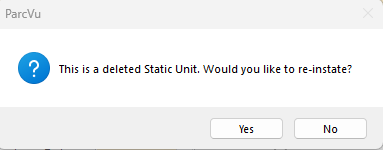
Enter the CSN of the deleted Holiday Home in the Create screen, and you will be prompted to reinstate it