☑️ Caravan Manufacturers & Models List in ParcVu Desktop
Last updated 9 months ago
Users will need the Allow Access Models and Manufacturers Screen permission to access this area of the system
In order to create a new Holiday Home, the make and model must be available to select from the dropdowns
To add New Caravan ‘Manufacturers & Models’ to the System, select ‘Caravan Manufacturers & Models List’ from the ‘Van Price List’ section on the Main Menu.
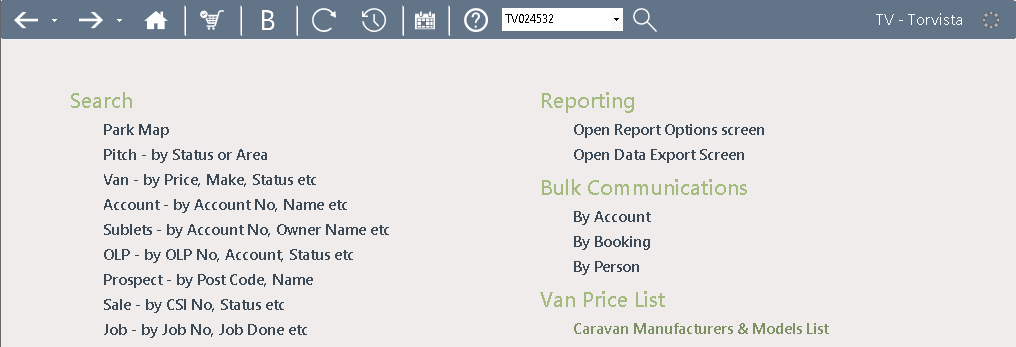
The current ‘Manufacturers & Models List’ will be displayed
Add a New Model in ParcVu Desktop
Click ‘Edit’ from the Navigation list on the right of the screen
Use the ‘Scroll Bar’ on the right-hand side of the field to scroll down the list, at the bottom of the screen you will find a ‘Blank’ entry field to add the new details in.
Use the drop-down list in the ‘Manufacturers’ column to select the required ‘Manufacturer’

Click into the ‘Model’ column and type in the Model Name, then continue entering the information into the relevant columns until all the required details are entered, then click ’Save’ on the Navigation list on the right of the screen.

The New Model will be recorded in the system and the details can be picked up when ‘Creating a Van’ on the system.
Add a New Manufacturer in ParcVu Desktop
Click ‘Edit’ from the Navigation list on the right of the screen.
Then select ‘Edit manufacturers’ from the navigation list.

The ‘Edit Manufacturers’ pop up will be displayed.
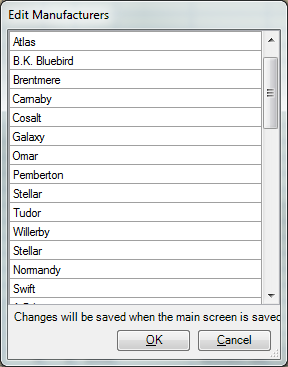
Scroll down the list until you reach the blank line at the bottom, then type in the name of the new Manufacturer, click ‘OK’ when finished.
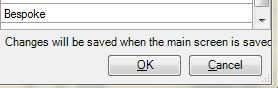
The Caravan Models screen will then be displayed, Click ‘Save’ on the navigation list and the system will be updated with the new Manufacturer, new models from this Manufacturer can now be added to the system as required.

Makes and Models added here are then available for selection in the ‘Create Van in Limbo’ option found in System Maintenance – Van Maintenance.