☑️ Create Pitches in ParcVu Desktop
Last updated 9 months ago
To access this area of the system, the User will need the permissions Allow access System Maintenance Menu and Access Maintain Park Structure
In System Maintenance Sub Menu > Maintain Park Structure, new Areas, Zones and Pitches can be created
The Park must be selected in the top right corner for this menu option to be available - if the option is greyed out, ensure you have a Park selected
The ‘Park structure’ screen will be displayed, showing the ‘Areas’ of the Park down the righthand side of the screen.
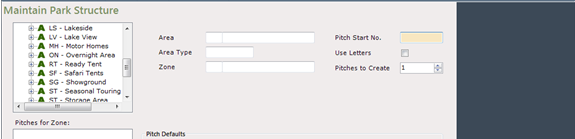
Double click on the required ‘Area’ to show the ‘Zones’ within that Area, then, double click on the required ‘Zone’.
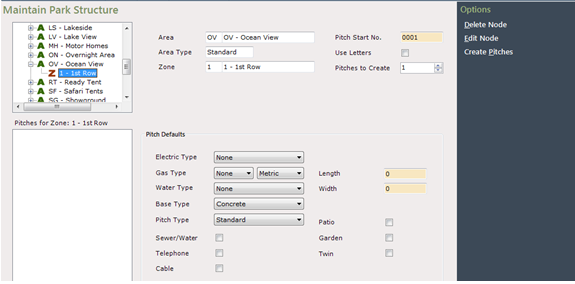
The ‘Zone’ details will be displayed in the centre of the screen, showing the next ‘Pitch Number’ for that area, existing Pitches within that Zone will be displayed on the left of the screen in the Pitches for Zone 1 section.
Set the number of Pitches to create and the Length/Width of the Pitches as appropriate, select the correct ‘Pitch Details’ in the highlighted fields, using the dropdown lists at the side.
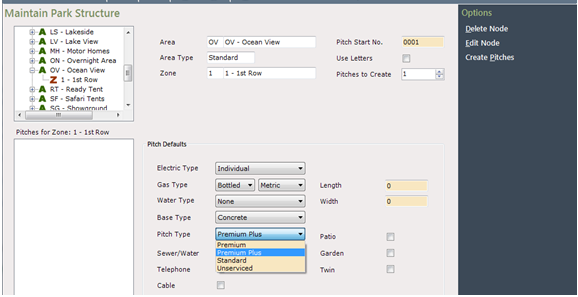
Once all ‘Pitch details’ are selected, click ‘Create’ from the Navigation list on the righthand side of the screen.
Re-select the Area and Zone again, and the New Pitch(s) you have created will be displayed.
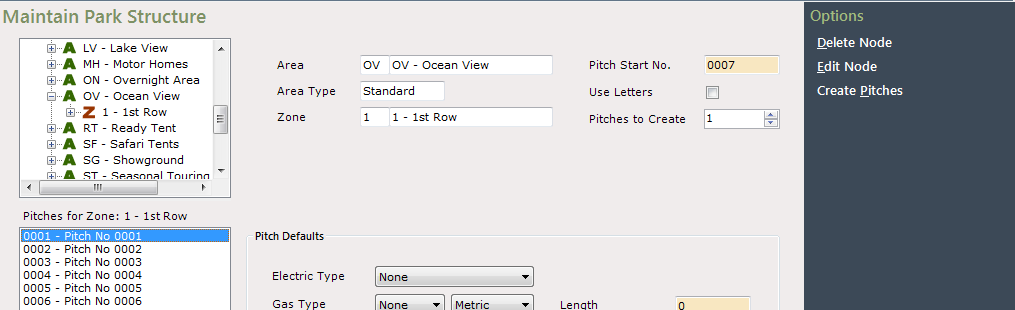
The ‘Pitch details’ section will be clear ready for further Pitches to be created if required

Once finished, click on the tab to return to the Main Menu.