☑️ Pitching A Holiday Home in the Correct Status in ParcVu Desktop
Last updated 9 months ago
To use this function, the User will need either the Allow HO User to Status Change or Allow Park User to Status Change permission depending on their User type
Pitching A Holiday Home in ParcVu Desktop
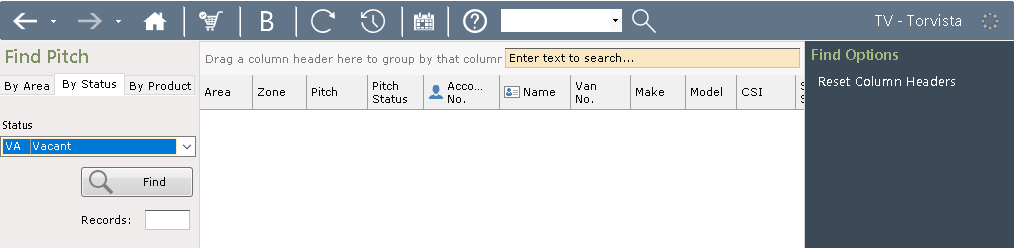
Ensure the Park is selected in the top right of the screen. From the Main Menu, select Pitch, navigate to the By Status tab and find the correct pitch
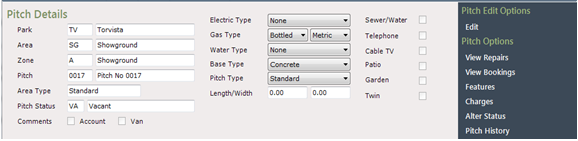
Select ‘Alter Status’ from the Navigation list on the right-hand side and click on the required ‘Status Description’ from the list displayed.
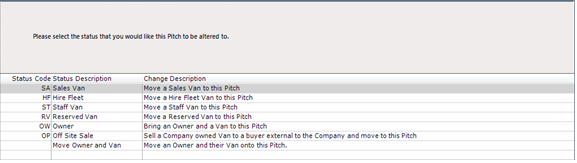
Click ‘Next’ at the bottom of the screen.
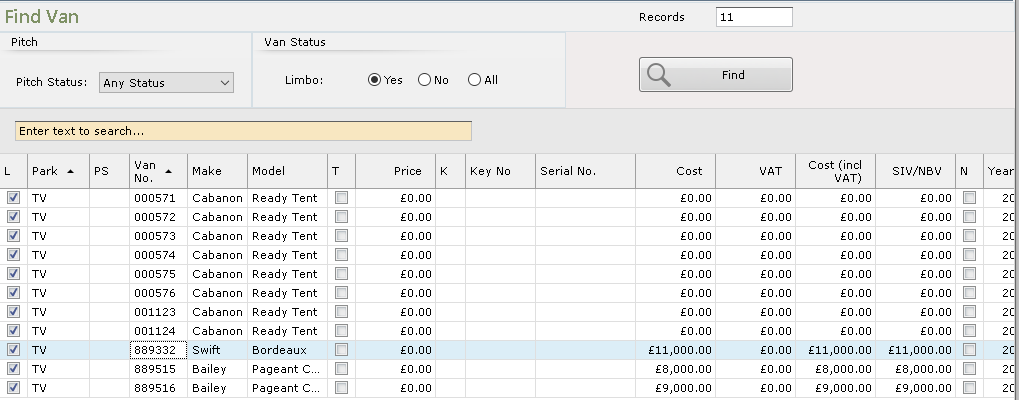
The ‘Find Van’ screen will be displayed. Search by CSN, or other attributes - if you know the Holiday Home is newly created and still in Limbo, set the radio button on Van Status to Yes
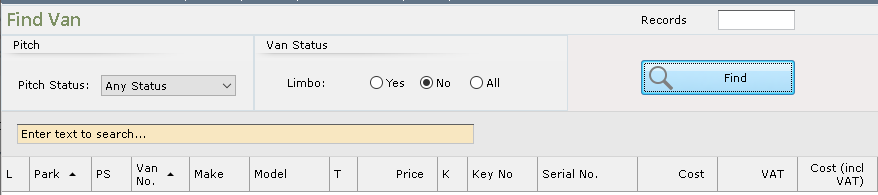
Click on the required Van to highlight it and click Next
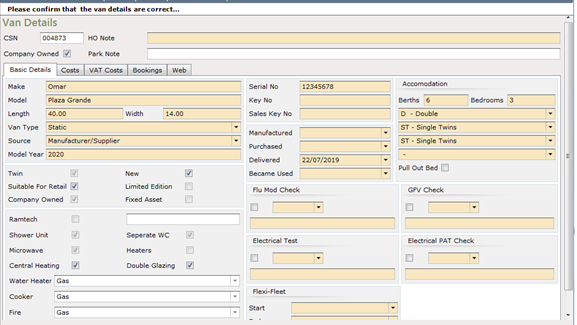
The Van Details screen will be displayed, check the details are correct then click Next
The Van Pricing screen will be displayed
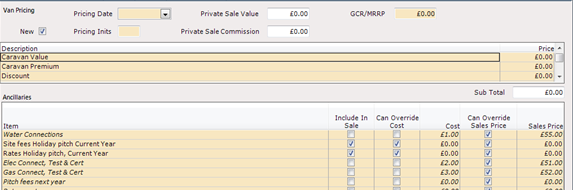
Enter any pricing and costs as appropriate
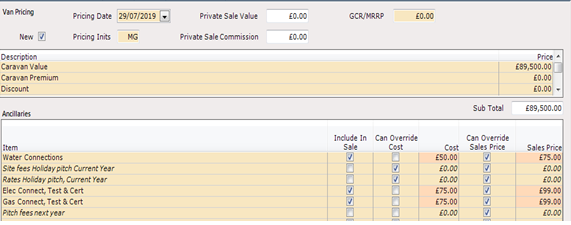
Even if you do not use Priced Stock, you’ll need to enter the Pricing Date and Pricing Initials to be able to proceed
Click Next - if you have not entered a GCR/MRRP, you will see a warning that this is set to zero and be prompted to either go back and correct it, or confirm you’re happy to continue. If your business does not use MRRP, you can proceed - ParcVu Support do not have any data relating to GCR/MRRP and this is an informational warning only
The Pitch Details screen will be shown with a Pitch status of Sales Van with a summary details of the Van that is now on the pitch.
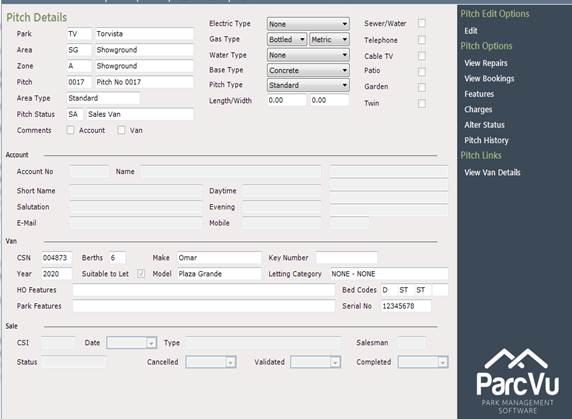
The Van is now available for Sale
Whilst this example is for Sales units, the process is the same for all statuses, so for Hire Fleet, you’d follow the same process for alter status etc, selecting Hire Fleet as the new status
Alter the Status of a Pitched Holiday Home in ParcVu Desktop
There might be circumstances where a Sales unit becomes Hire Fleet or Staff, or vice versa. In this instance, navigate to the Pitch of the Holiday Home which needs to change status and select Alter Status from the right hand navigation bar
Select the new status for the Holiday Home and click Next
Follow the screens, which will vary depending on your new status - for example, if changing to a Hire Fleet, you’ll be prompted to select the new letting category
Holiday Homes with a status of Owner can generally only have their status updated by the relevant Owner Leaving Park (OLP) or Sale process, so the options available on an Owner Pitch vary from Company Owned;
