Add a Finance Company in ParcVu Online
Last updated About 2 months ago
The Finance Company Details menu allows you to add the Finance Companies that are available for your customers to use when purchasing a Holiday Home. Accurately tracking finance information when running sales is key to ensuring your liability is tracked and to enable your team to get accurate settlements with ease
To use this functionality, the user will need the Allow System Maintenance Menu user permission
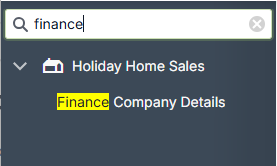
From System Settings, under the Holiday Home Sales option in the side bar, choose Finance Company Details
The System Settings menu is searchable in ParcVu Online - save time by finding the setting you’re looking for using a key word!
Click New at the top of the grid to add a new Finance Company row, or Edit on the row of a Finance Company that needs to be updated
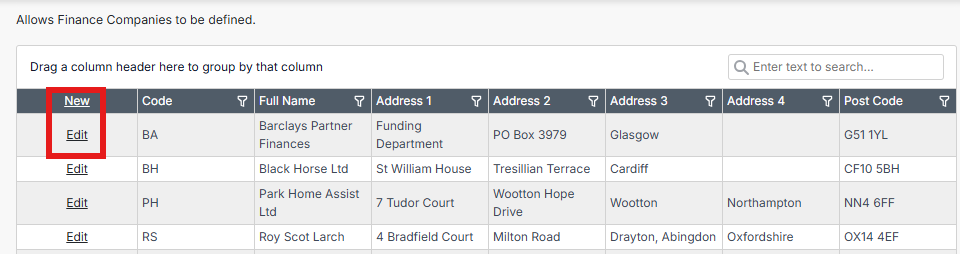
Give the Finance Company a unique code, enter the name and address details for the finance company, and press Save once all fields are complete

Was this helpful?
Still need help? Share an idea