☑️ Enter Water Readings in Bulk in ParcVu Desktop
Last updated 7 months ago
Utility Billing Is Now Available in ParcVu Online!
This function is now available in ParcVu Online! For the best experience, we recommend switching to ParcVu Online to ensure you always have access to the latest features
Continue Using ParcVu Desktop:
To use this function, the user must have the Allow Fuel Processing and Allow Ledgers Sub-menu permissions
Getting The Opening Readings in ParcVu Desktop
From the Home screen, go to Ledgers Sub Menu > Bulk Load of Meter Readings
On the Bulk Fuel Entry screen, the Default Closing Date defaults to today's date - this should be set to the date the meter readings were completed (if entering the readings) or will be completed (if generating a list for Maintenance to go and do meter reads)

Select Fetch Pitches for Water from the menu on the right, and you will be prompted to set a date of when the meters were last read
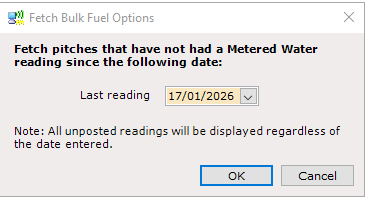
This value defaults to one month ago from the day the process is run, but can be amended to any past date. It’s important to note that if an Account has had a reading since this date, it will not be returned on this screen
Therefore, if an Account is not present, you should check the Account for any more recent readings and may need to enter their updated Meter Read there rather than in the Bulk Fuel Entry
Click ‘OK’ to the message and the selected owners will be displayed in the grid.
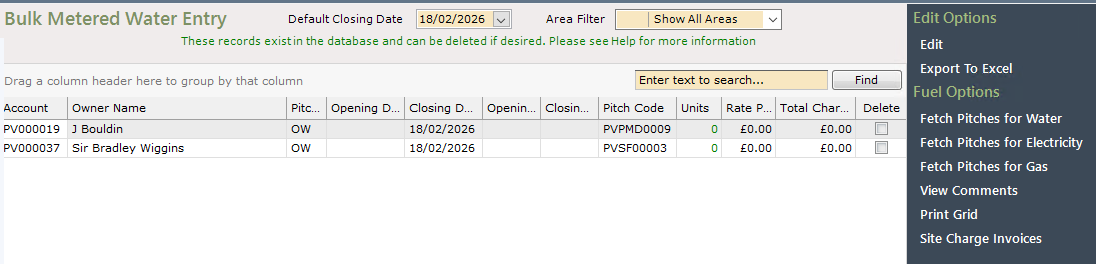
Select Print Grid to generate a list for Maintenance to make a note of the readings on, or Export to Excel to create a file that can then be reimported (removing the need to manually enter each row into ParcVu)
Entering Closing Readings in ParcVu Desktop
From the Home screen, go to Ledgers Sub Menu > Bulk Load of Meter Readings
On the Bulk Fuel Entry screen, the Default Closing Date defaults to today's date - this should be set to the date the meter readings were completed (if entering the readings) or will be completed (if generating a list for Maintenance to go and do meter reads)

Select Fetch Pitches for Water from the menu on the right, and you will be prompted to set a date of when the meters were last read
This value defaults to one month ago from the day the process is run, but can be amended to any past date. It’s important to note that if an Account has had a reading since this date, it will not be returned on this screen
Therefore, if an Account is not present, you should check the Account for any more recent readings and may need to enter their updated Meter Read there rather than in the Bulk Fuel Entry
Click ‘OK’ to the message and the selected owners will be displayed in the grid.
Click ‘Edit’ and enter the Closing readings - you can amend the Closing Date from the default, if you choose to. This should always be the date that the meter was physically read.
If you previously exported the readings to Excel, you’re able to Import your sheet with all of the closing readings entered
If there is no Opening Reading, then both an Opening and Closing reading can be entered on this screen
Entering an Opening Reading only will not generate a reading as this screen is designed for billing in bulk, rather than entering opening readings. Therefore, if you find a reading you entered has not saved, ensure that reading has both an opening and closing date
Posting the Invoices in ParcVu Desktop
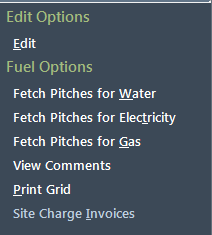
To post the charges to the Owners rent ledger, select ‘Site Charge Invoices’ from the navigation list.
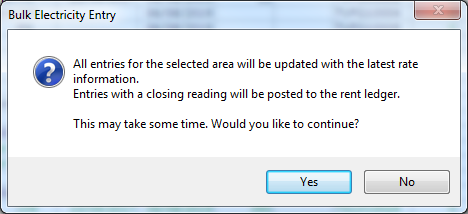
Select ‘Yes’ on the confirmation dialogue window displayed.
To find out how to print Fuel Invoices in bulk in ParcVu Desktop here: Printing Fuel Invoices In Bulk