Maximum Number of Login Attempts in ParcVu Online
Last updated 4 months ago
If a user enters their password incorrectly a number of times, their account is locked
Setting the Max Login Attempts in ParcVu Online
To access this area of the system the user will need need the Allow System Maintenance Menu user permission
The maximum number of login attempts before a User Account is locked can be set by the Internal ParcVu Administrator to match the IT Security Policy of the business
From anywhere in ParcVu Online go to System Settings
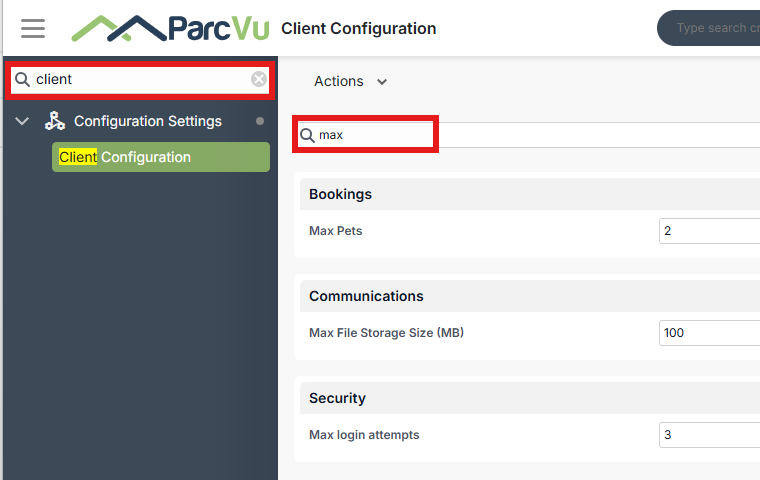
Under the Configuration Settings section, there is a field for Max login attempts in the Client Configuration sub-section under Security
The System Settings menu and Client Configuration menu are searchable in ParcVu Online - save time by finding the setting you’re looking for using key words!
Set the value to match your IT policy, then click Save at the top of the screen
Was this helpful?
Still need help? Share an idea