Add a Finance Company in ParcVu Desktop
Last updated About 2 months ago
System Maintenance is Now Available in ParcVu Online!
This function is now available in ParcVu Online! For the best user experience, we recommend switching to ParcVu Online to ensure you always have access to the latest features. Find out more about Finance Companies in ParcVu Online here: Add a Finance Company in ParcVu Online
Continue in Desktop
The Finance Company menu allows you to add the Finance Companies that are available for your customers to use when purchasing a Holiday Home. Accurately tracking finance information when running sales is key to ensuring your liability is tracked and to enable your team to get accurate settlements with ease
Go to System Maintenance Sub Menu > Maintain Maintain Finance Companies


Select Add Finance Company from the Navigation list on the right.
Enter a ‘Code’ for the Company (this could be Company Initials) then enter the Company Name and Address details.
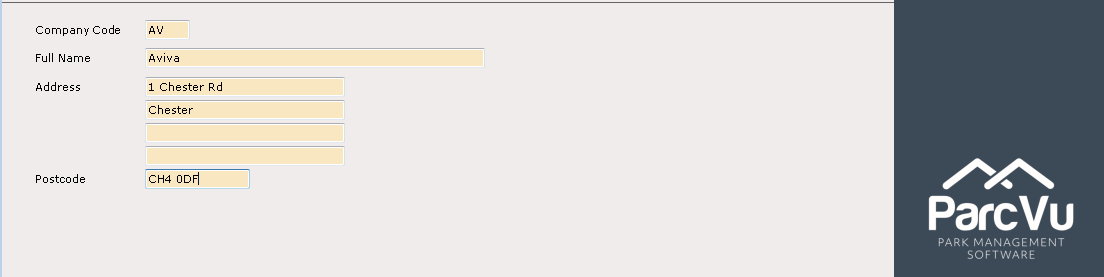
Select Save from the Navigation list on the right and the New Company details will now be recorded on the system.

Was this helpful?
Still need help? Share an idea