Templates in ParcVu Desktop
Last updated 3 months ago
Templates are Now Available in ParcVu Online!
This function is now available in ParcVu Online! For the best user experience, we recommend switching to ParcVu Online to ensure you always have access to the latest features. Find out more about Templates in ParcVu Online here: Templates in ParcVu Online
Continue in ParcVu Desktop
To access this area of the system, the User will need the permissions Allow Access System Sub Menu and Can Maintain Templates
Templates need to be set up in ParcVu as these will be used by the system when generating communications for customers such as Booking Confirmations, invoices, receipts etc
From the Home Screen, go to System Maintenance Sub Menu > Maintain Templates
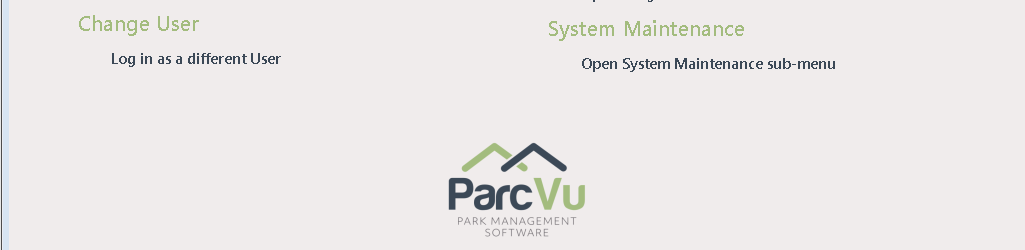
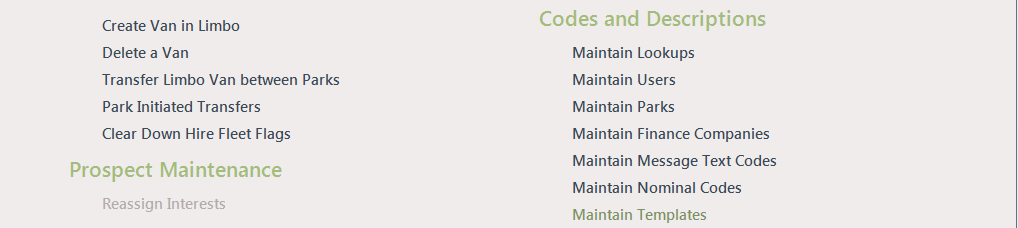
The ‘Template’ screen will be displayed
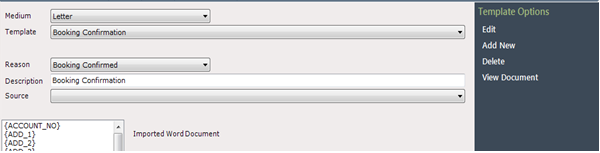
There are several different ‘Template Types’ available, click on the dropdown list facility in the ‘Medium’ field to view these
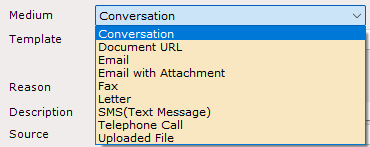
The most frequently used are
Email - Used to send emails to Customers either automatically as part of scheduled tasks, or individually for example receipts
Email with Attachment - Used to send emails with system-generated attachments such as invoices for pitch fees
Letter - Used for ‘printed’ communications, for example invoices
SMS (Text Message) - Used to send SMS messages to customers
To use the SMS function in ParcVu Desktop, you must have an active Clickatell subscription