Set Park Years in ParcVu Online
Last updated About 3 hours ago
To use this function, the user will need the Allow System Maintenance user permission
Your Park Years can either be set as calendar years, or mirror your ‘Season’, whichever you prefer, as long as there is no gap between years
For example, if your Holiday season ends in November and restarts the following March, you’d set your Park Year to 1st January - 31st December
If, however, you rent over Christmas and close on 2nd January, you’d set your park year to end 2nd January, and start the following year from 3rd January
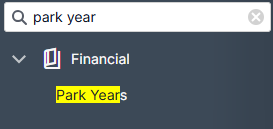
From the System Settings menu, under Financial choose Park Years
The System Settings menu is searchable - save time by finding the setting you’re looking for with key words!
All existing Park Years will be displayed. To add a new year, click New
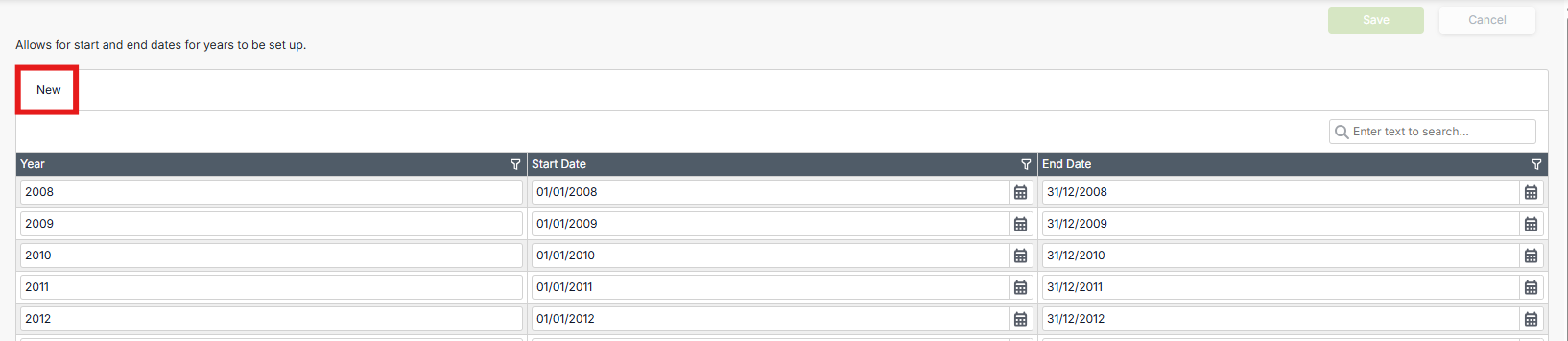
Further rows will automatically be added at the bottom of the table, following on from preceding years

If required, you can edit these dates

Remember - there cannot be gaps or overlaps between the years - if there are overlaps, these will be highlighted in the grid
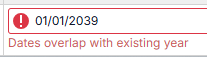
This is not a system error - you do not need to report to ParcVu Support. Correct the overlaps and the system will allow you to save
Once you’re finished adding/amending your Park Years, press Save at the top right of the screen
Still need help? Share an idea