☑️ Transaction Exports in ParcVu Desktop
Last updated 8 months ago
To access this functionality, the user will need the Can Export Transactions permission. An additional permission can be allocated to users called Can Override Transaction Export Selection
Found in the Ledgers Sub Menu, it is possible to Export Financial transactions within ParcVu that can be uploaded into your Accountancy Package
This screen can be accessed using the ‘Transaction Export’ link found in the Ledgers Sub Menu.

Its possible to search within a date range of Financial Transactions held within ParcVu.

Select the required ‘Export Type’.
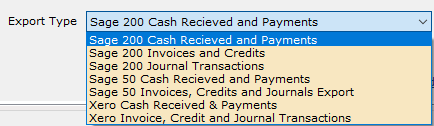
The export types format the data to match your accounts package import process.
The below example shows the export type set to ‘Xero Cash Received and Payments’ The grid is showing all the Cash Transactions which will match the existing system Report 213.
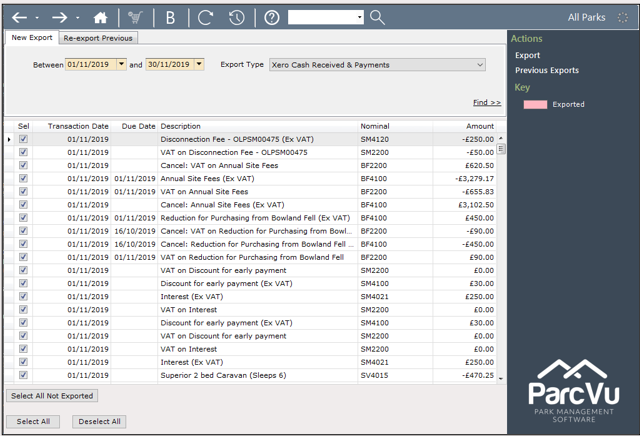
Clicking ‘Export’

Will allow the export file name top be amended if required.
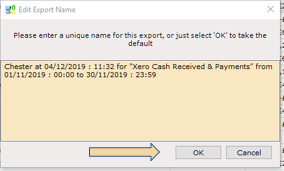
Click ‘OK’ to save the file.
The export creates a CSV file that can be imported into your accountancy package.
The level of detail can then be specified if applicable.
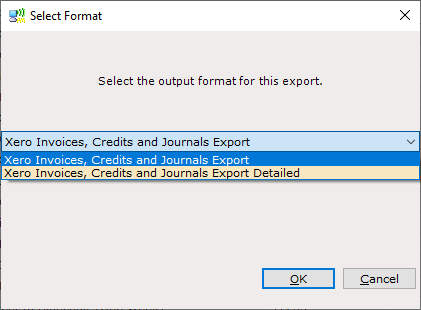
Save the CSV file as appropriate ready for importing into your accountancy package.
The ‘Re-export Previous’ tab shows the export history for Auditing purposes.

This will recreate any previous saved exports.
Rows that have been exported will appear in the grid in red.
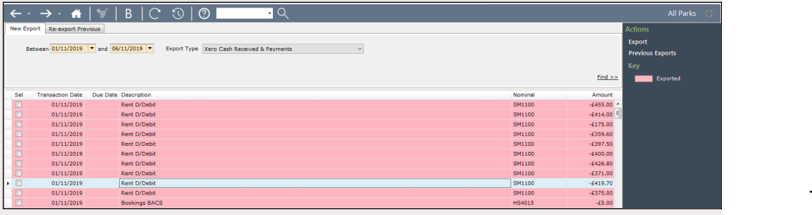
If Cash is backposted it can be seen as it wont have been exported and therefore wont show in red on the grid
Sage Exports
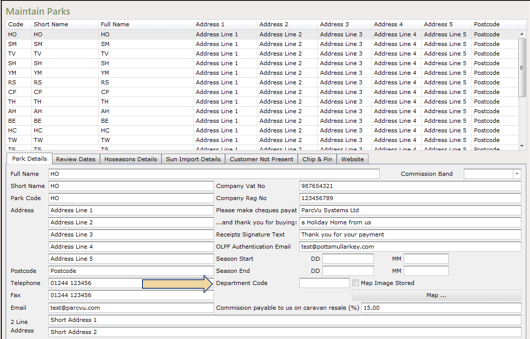
To run a Sage Export, a ‘Department Code’ will need to be set for each Park in the Maintain Parks screen.
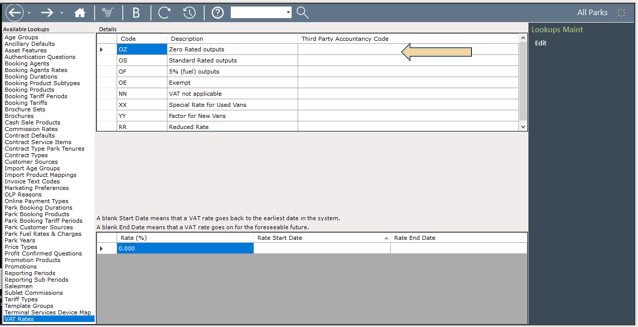
Within 'Maintain Lookups', 'Vat Rates' screen, the 'VAT Rates Third Party Accountancy Code' column requires the ‘Sage 'T' Codes’ to be mapped against the equivalent ParcVu codes.
There are new Sage Export settings in the Client Configuration screen (Super User access only) to control how the Account Number is populated on the Sage transactional exports. The new settings are as follows:
Sage Bookings Account Reference Type - What should be used as the Account Number on the Sage export. Options are ParcVu Account Number, Old Account Number or Single Account Reference
Sage Bookings Single Account Reference - the value to show on the export when Single Account Reference is selected as the Sage Bookings Account Reference Type
Sage Rent Account Reference Type - What should be used as the Account Number on the Sage export. Options are ParcVu Account Number, Old Account Number or Single Account Reference
Sage Rent Single Account Reference - the value to show on the export when Single Account Reference is selected as the Sage Rent Account Reference Type
Sage Sales Account Reference Type - What should be used as the Account Number on the Sage export. Options are ParcVu Account Number, Old Account Number or Single Account Reference
Sage Sales Single Account Reference - the value to show on the export when Single Account Reference is selected as the Sage Sales Account Reference Type
Additionally the following changes have been made to the Sage 50 transactional exports:
- All journals have Type of 'JD' or 'JC', a Tax Amount of 0 and the Account Reference will not be populated for these rows.
- All amounts values are positive on both exports.
- An invoice in ParcVu will have a Type of SI on the invoice export.
- A credit note in ParcVu will have a Type of SC on the invoice export.
- Cash/card payments will have a Type of SA on the cash export.
- Cash/card refunds will have a Type of SP on the cash export.
- The 'Extra Reference' column on both exports will show the ParcVu Account number concatenated with the Account Name regardless of the Sage Account Reference Type selected in the Client Configuration screen.