☑️ Post Outgoing BACS Payments in ParcVu Desktop
Last updated 8 months ago
To access this function, users will need the Allow Ledgers sub-menu permission
Park Users will also need the Allow Park User Extra Ledger Functions permission
This screen allows BACS Payments to be posted to an Owner Rent Ledger where there is a Credit balance on the account - for example, posting OLP refunds, or disbursing Sublet Income. Payments can be posted to one or many Owners at the same time.
Payments can be made across ‘All Parks’ or an individual Park can be selected using the drop-down list in the ‘Park’ field. (Park Users will only see their own Park).
From the Home Screen, go to Ledgers Sub Menu > Post BACs Payments
The Post BACS Payments screen will be displayed.
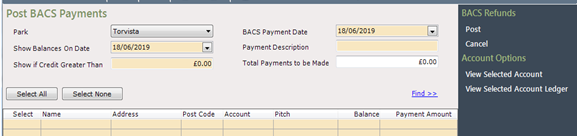
Enter a Payment Description, this will appear against the payment.
Required Dates should be selected in the ‘Show Balances On Date’ and ‘BACS Payment Date’ fields. Set the required Value in the ‘Show if Credit Greater Than’ field, to select accounts where their ledger balance is in credit of an amount greater than that set.
Use any of the filter options at the top of the screen to select the required accounts and then click

Accounts with a Credit balance will then be returned in the list.
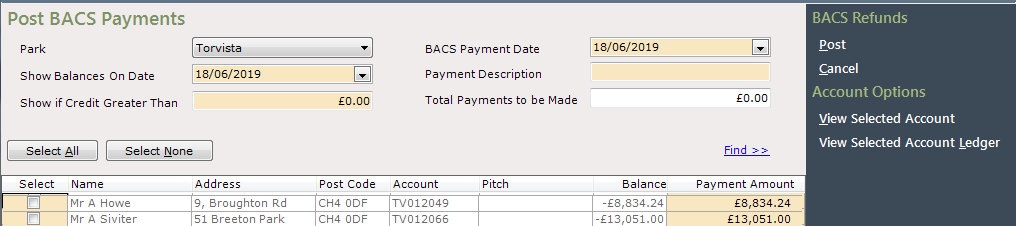
The ‘Balance’ column shows the current Credit balance on the ledger, the ‘Payment Amount’ column will show that amount ready to be selected; this amount can be changed to a lesser amount if required.

Select all the required accounts, by clicking into the ‘Select’ column to ‘Tick’ it, or if all accounts are to be selected, click on the ‘Select All’ button above the grid.
The amount being posted will be shown in the ‘Total Payments to be Made’ field above the grid.

Select ‘Post’ on the navigation list and then enter the required File Name and Location for the CSV file to be saved.
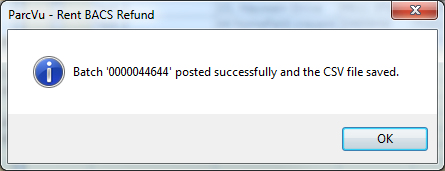
A popup message will be displayed confirming that the batch was successfully posted; click ‘Ok’ to the message and the screen will be cleared.
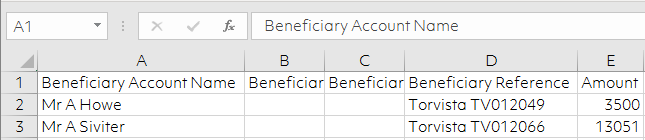
Navigate to the location that the CSV file was saved to and view the document, it will show all payments posted in the batch.
Navigate to an Owners Accounts Rent Ledger and the BACS payment will have been posted to the ledger.