☑️Profit Confirmed Questions in ParcVu Desktop
Last updated 8 months ago
This functionality is optional
Profit Confirmed Questions can be used to customise your validation process and ensure that your sales team has completed all the steps necessary to complete a sale and receive their commission
An optional additional step after Completing a sale is to ‘Confirm Profit’ which can be used as a final check prior to paying commissions. The questions can also be used as a checklist throughout the processing of the sale and best practice would be to not validate the sale until all items on the checklist are complete
For example;
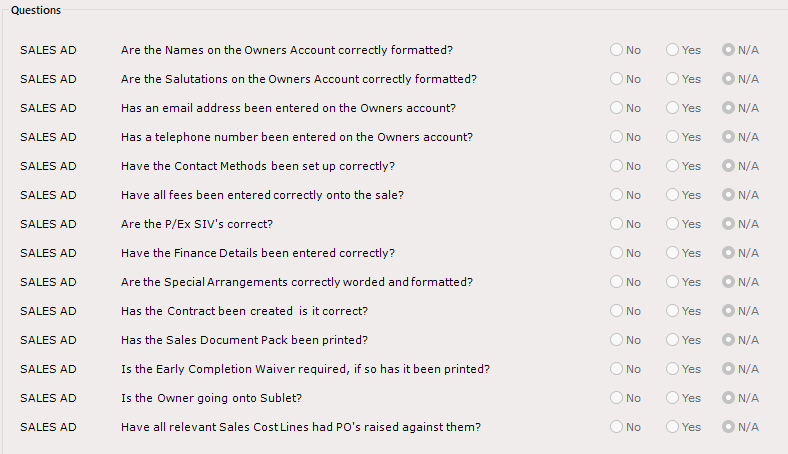
Adding New/Editing Existing Profit Confirmed Questions in ParcVu Desktop
To access this functionality the user will need the Allow Access System Maintenance Menu permission
Go to System Maintenance Sub Menu > Maintain Lookups > Profit Confirmed Questions > Edit
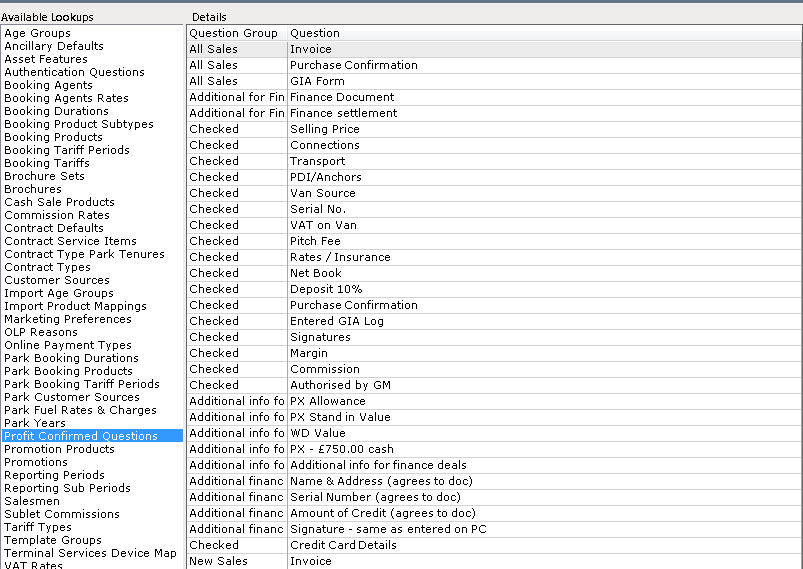
Click on the grey column at the side of the line marked with ‘*’ click into the first column and enter the ‘Type Title’ into the ‘Question Group’ column
You can use the Question Type to separate different areas which need to be checked - for example, you could have a section relating to Finance Agreement which could include questions like ‘Agreement Number Checked’, ‘Payout Obtained’, ‘Settlement Figure Checked and Valid’ etc
This is fully customisable to suit your own methods of checking your sales
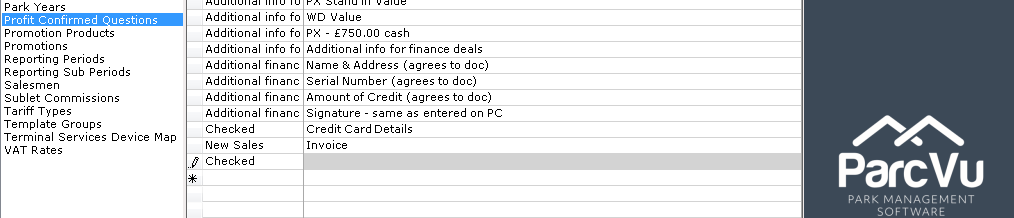
Then enter the ‘Question Details’ into the ‘Question’ column, when finished, select ‘Save’ from the Navigation list on the Right
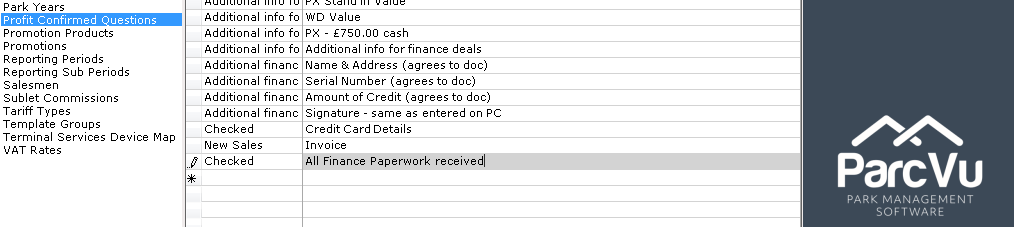
The New Question will now be recorded to the system