☑️ Log in to ParcVu Desktop
Last updated 7 months ago
When logging in to ParcVu, you’ll use the Username and Password set by your Internal ParcVu Administrator. The ParcVu Support Team do not have access to these passwords.
Forgotten your password? Use the ‘forgotten password’ link on the login screen, or contact your Internal ParcVu Administrator
Double click on the ParcVu Icon on the Desktop, or from the attachment sent to you via email
Enter your Username and Password and click ‘OK’
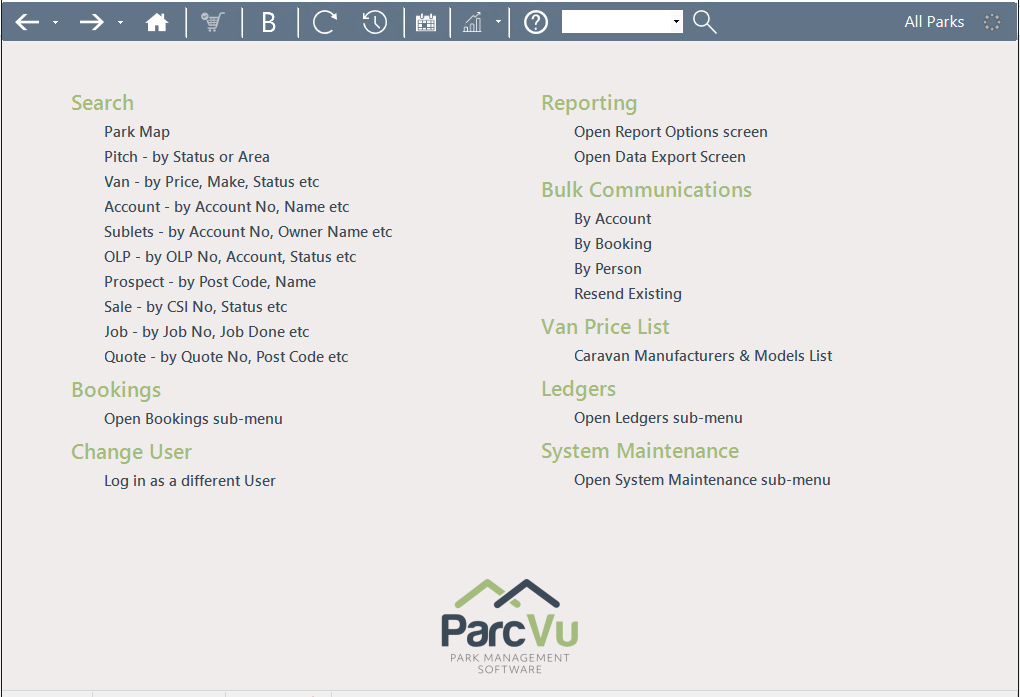
The Main Menu will then be displayed:
Do you access ParcVu Desktop on our Shared Server? You’ll need to log in to your RDP Account to access our servers first, before you can log in to ParcVu itself. You can find out more about RDP users here: Maintain Users in ParcVu Desktop
Park User Login vs Head Office User Login
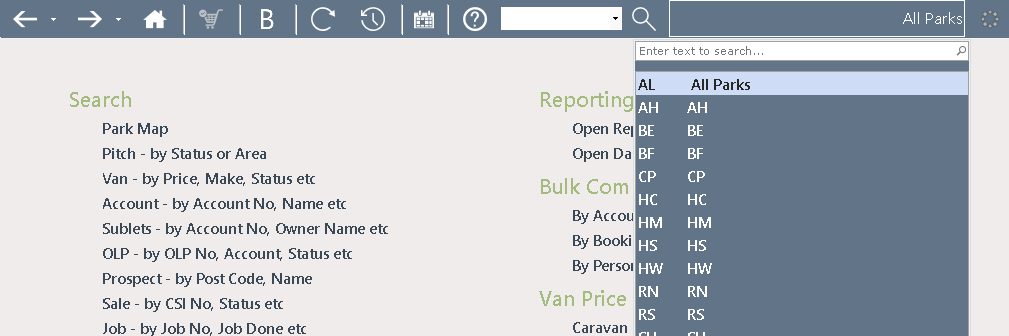
If logging in as a Park User, only your Park will be displayed in the top right hand corner of the screen
As a Head Office User, you can select the required Park (click on the All Parks’ option on the top toolbar for drop down list) or work on ‘All Parks’.
Logging in to ParcVu Desktop with Active Directory
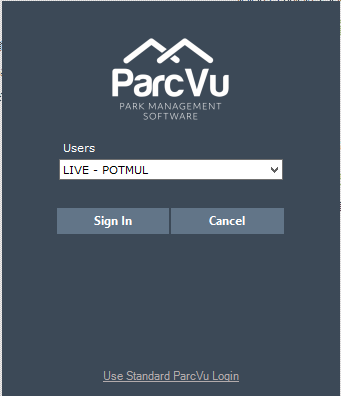
If ‘Active Directory’ has been enabled then it will not be necessary to enter a password, the user’s Username will be displayed and they will just need to click Sign In
Need to create a new ParcVu user? Click here : Create A New ParcVu User