☑️ Complete an OLP Record in ParcVu Desktop
Last updated 11 months ago
Users must have the Complete Closure of Account permission to use this function
Completing the OLP Form
The option to Complete an OLP form does not appear until the OLP is in Authorised status and the HPI Checked and BBV Checked boxes have been checked
Select ‘Edit’ on the navigation list and click into the HPI Checked and BBV Checked fields to confirm that this process has been completed.
Select ‘Save’ and the OLP record will be automatically updated.
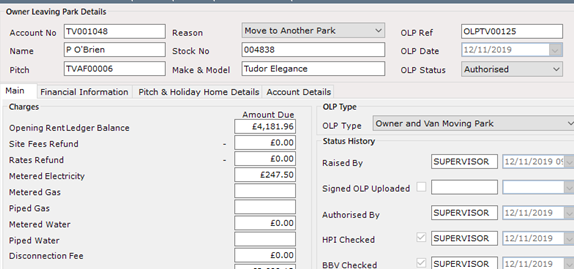
Select ‘Complete Owner leaving Park’ on the navigation list.

The ParcVu login screen will be displayed, enter your login details and click ‘OK’
The OLP Record will then be automatically updated to ‘Completed’ status.
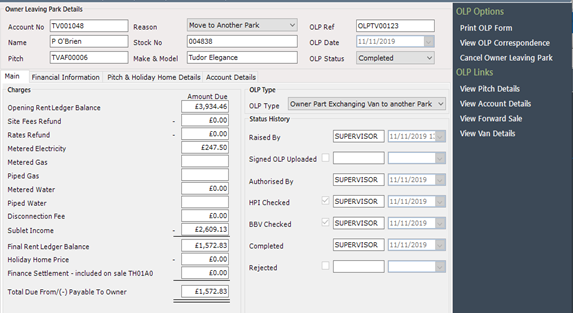
The next steps depend on the type of OLP - you will either need to make the pitch vacant, or bring the unit into stock
Making The Pitch Vacant
Follow these steps for Owner Leaving Park, Owner Moving Park or Owner Part Exchanging OLPs only
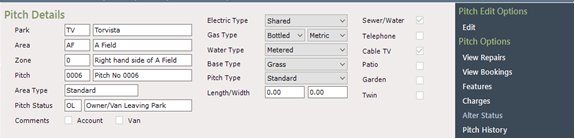
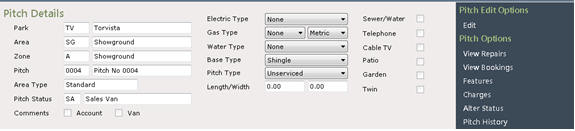
Select ‘View Pitch Details’ from the navigation list.
The Pitch Details screen will be displayed, select ‘Alter Status’ from the navigation list
Click on ‘Vacant’ in the list displayed.
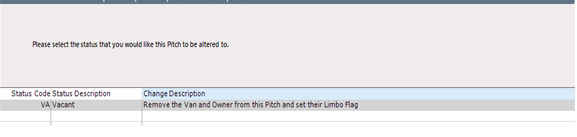

Then click at the bottom of the screen.
If there is an outstanding balance on the previous Owners Account the ‘Rent Ledger’ message will be displayed, advising that:


Click at the bottom of the screen.
The Pitch Details screen will now show the new status of ‘Vacant’.
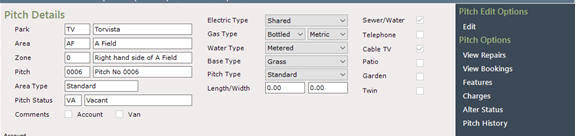
Next Steps for Owner Moving/Part Exchanging To Another Park OLPs
The previous Owner Account will now be in ‘Limbo’ and if the option to transfer the balance to the new park was selected, the Rent Ledger will now show as Zero
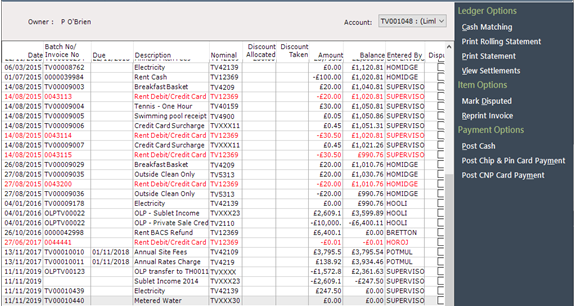
Any Contracts for the old Account will need to be closed at this point
Navigate to the newly created Sale at the new Park and select to ‘View Account Details’ from the navigation list, once in the account details screen, select ‘View Rent Ledger’ on the navigation list.
The balance that was transferred will be shown on the Ledger

There is a drop-down option above the grid which allows either the Old Account ledger to be viewed or the current one.

The ‘Tow On’ or Part Exchange Sale at the new Park now needs to be updated through to Completion and all required details entered as appropriate.
Bringing the Van (Holiday Home) into Stock
Follow these steps for Finance Repossession or Buy In OLPs only
Select ‘View Pitch Details’ from the navigation list.

The Pitch Details screen will be displayed, select ‘Alter Status’ from the navigation list
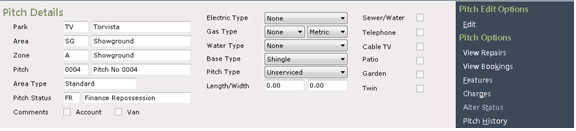
Click on the required option for the unit from the list displayed.


Then click at the bottom of the screen.
If there is an outstanding balance on the previous Owners Account the ‘Rent Ledger’ message will be displayed, advising that:
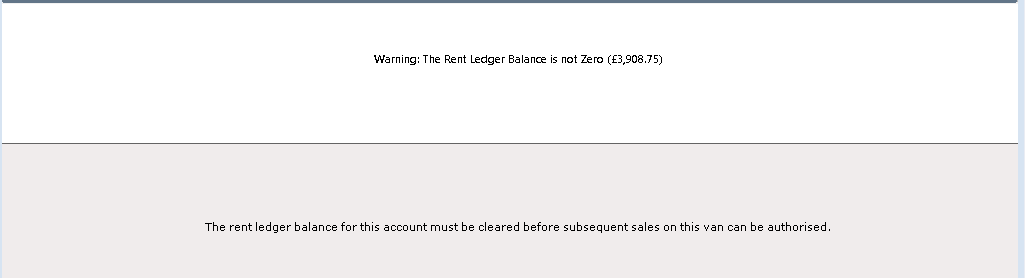


Click at the bottom of the screen and then
The Pitch Details screen will now show the new status selected for the unit.
The previous Owners Account will now be in ‘Limbo’