Add a New Promotion in ParcVu Desktop
Last updated 4 months ago
The Promotions function in ParcVu Desktop is only available to existing customers who previously signed up for the legacy ParcVu Bookings module. New subscribers will be offered enrolment in the Booking Experts module. Existing customers using legacy Bookings will be offered the opportunity to upgrade to Booking Experts - contact your Account Manager for more information
A Promotion can be set up in ParcVu to apply discounts or special rates to Bookings
It’s comprised of 2 parts, the Promotion which defines the action that’s taken against the Booking when the Code is applied, and whether it can be combined with other Promotions, and the Promotion Product which defines which Bookings the Promotion applies to and when
To access this function, the user will need the Allow System Maintenance Menu user permission
From the Home Screen, go to System Maintenance Sub Menu > Maintain Lookups > Promotions
Click ‘Edit’ and a blank row will be added to the bottom of the screen
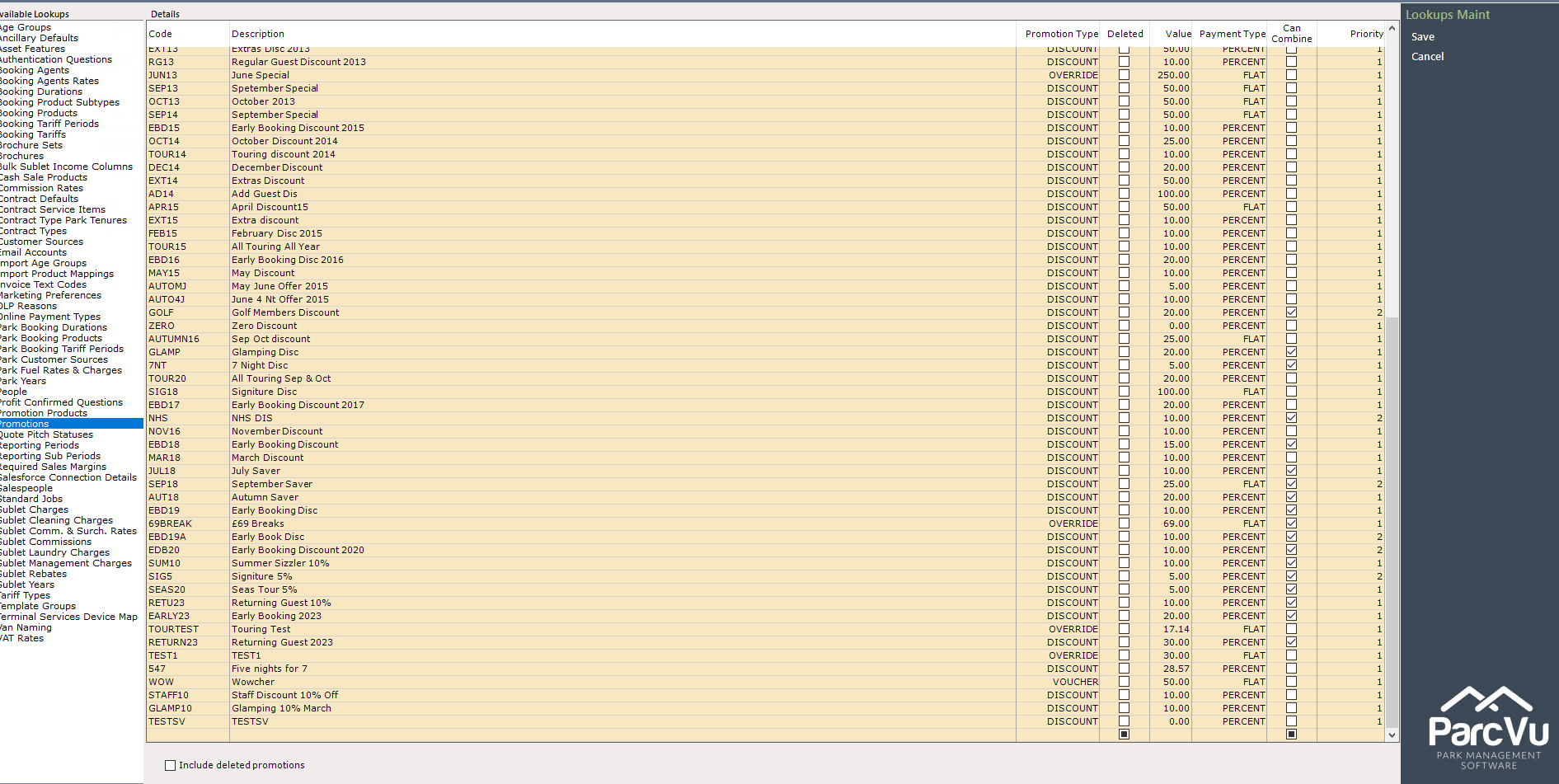
Configure your Promotion;
Code is the code which can be used to apply the Promotion to a Booking
Description is the name of the Promotion
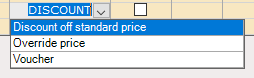
Promotion Type can either be ‘Discount’ or ‘Override’ (note that there is a 3rd option for ‘Voucher’ - this type of promotion is purely for information against a Booking, it does not perform any action against a Booking or create anything within ParcVu beyond the promotion reference on the Booking)
Value and Payment Type should be configured together - Payment Type is either ‘Flat’ or ‘Percent’, and Value is the override price or percentage discount you’d like to apply. For example, to create a Promotion for 25% off, you would set Value as 25.00 and Payment Type as PERCENT. To create a special break price of £350, you would set Value as 350.00 and Payment Type as FLAT
Check the Can Combine box if you’d like guests to be able to use this Promotion with other discounts
Once your Promotion is created, you can define the criteria of which Bookings the Promotion can be used for in Promotion Products. You can find out more about Promotion Products here: Create a Promotion Product in ParcVu Desktop