☑️ Security Questions in ParcVu Desktop
Last updated 5 months ago
When a new User logs in for the first time, they’ll be prompted to set up Security Questions. These are used in the Self Service Forgotten Password process
Configuring Security Questions in ParcVu Desktop
To access this area of the system the User will need either need the Supervisor Account or to have the Superuser and Allow System Maintenance Menu user permissions
There are a set of default questions in your instance of ParcVu, for your Users to choose from when setting their Security Questions
Questions can be added or deactivated in System Maintenance Sub Menu > Maintain Lookups > Authentication Questions
When setting your own Security Questions, avoid information which can commonly be found online
Resetting A User’s Security Questions
To access this area of the system the User will need either need the Supervisor Account or to have the Superuser and Allow System Maintenance Menu user permissions
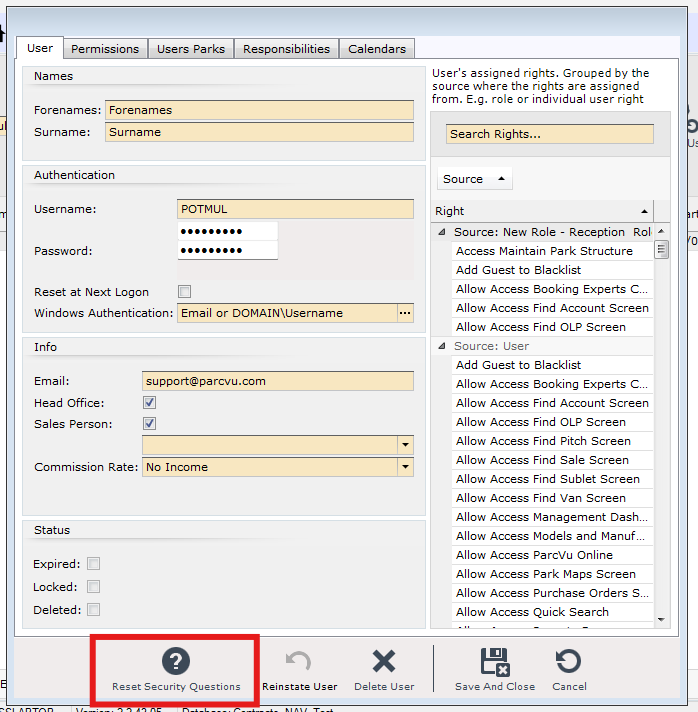
If a User has forgotten the answers to their questions, or has never set up Security Questions, the ParcVu Administrator can reset these by going to System Maintenance Sub Menu > Maintain Users
Within the User Profile, there’s an option to Reset Security Questions