Set Park Booking Tariff Periods in ParcVu Desktop
Last updated 4 months ago
The Park Booking Tariff Periods function in ParcVu Desktop is only available to existing customers who previously signed up for the legacy ParcVu Bookings module. New subscribers will be offered enrolment in the Booking Experts module. Existing customers using legacy Bookings will be offered the opportunity to upgrade to Booking Experts - contact your Account Manager for more information
Park Booking Tariff Periods are used to define which dates apply to the Booking Tariff Periods for any given Park and Year, so that they can be priced appropriately
To access this function the user will need the Allow Access System Sub Menu user permission
From the Home Screen, go to System Maintenance Sub Menu > Maintain Lookups > Park Booking Tariff Periods
Enter New Park Tariff Periods
Select the Park, Year and Product Type you want to set up Park Booking Tariff Periods for
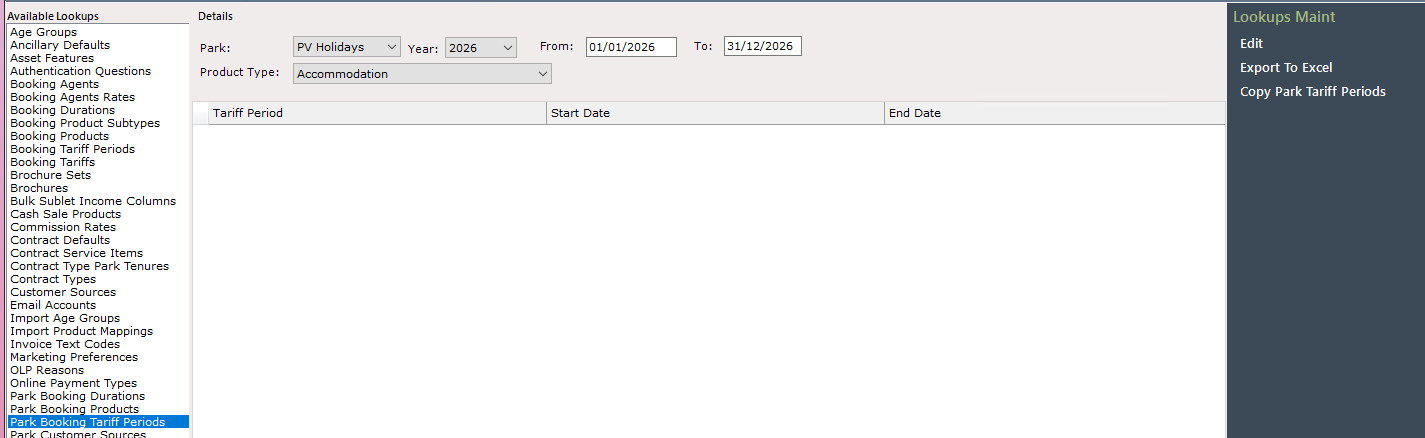
Click ‘Edit’ on the right hand side, and begin entering the relevant date blocks
Select the Tariff Period, then the Start and End dates for that period, then click off the row to add another

Continue until the entire year is covered, then ‘Save’
The Park Booking Tariff Periods cannot have any gaps in the date ranges, they must cover the full Year - you will notice that each new row you add will default the ‘End Date’ to the end of your selected year, you must remember to update this for each row to prevent errors as you cannot have overlapping periods

Copy Existing Park Tariff Periods
If you have already set up a Park with Park Tariff Periods that also apply to other Parks, you can use this as a template to copy to other Parks/Years
Select the Park, Year and Product Type you want to copy
Click ‘Copy Park Tariff Periods’ on the right hand side
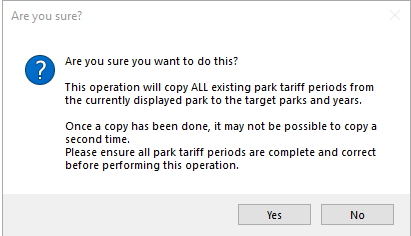
Confirm that you are happy to proceed on the pop up
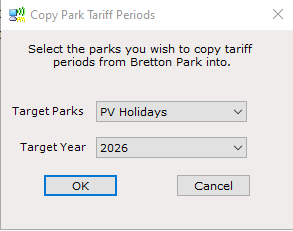
Select the Park(s) and Year that you’d like to copy these periods to and click ‘OK’
The date range for the Target Year must match the Year you’re copying to, therefore it’s advisable to only try to copy 2026 from 1 Park to 2026 at other Parks, rather than trying to copy 2026 dates to 2027/any other year
Troubleshooting Park Tariff Periods
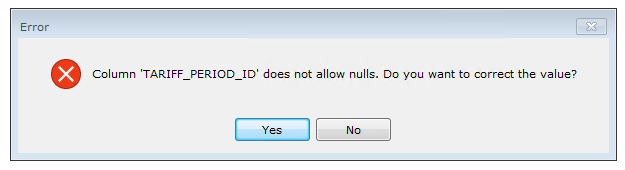
If you see a message like the below, this means you have left the ‘Tariff Period’ column blank on one of your rows
Click ‘Yes’ to go back to the table and fill in the missing value
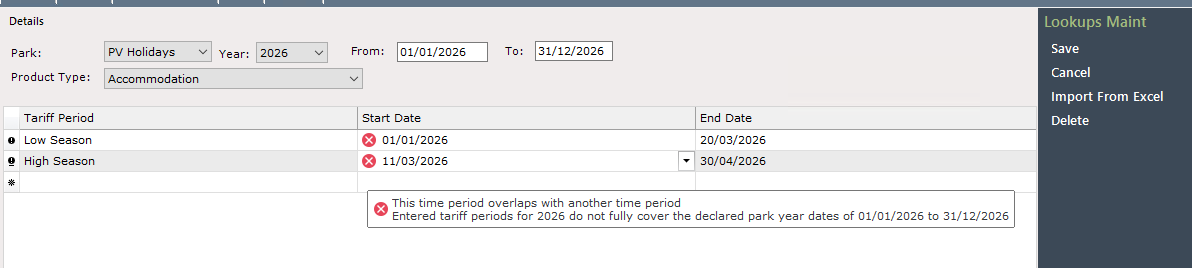
If you see a red cross next to dates when trying to save, hover over the red cross and the issues will be explained - for example, periods are overlapping or the entire year is not covered. Correct these issues then save again
If you see a message like the below when copying Tariffs from another Park, where it appears to have been successful but says “Problems with Update”, the copy has failed - this is usually because the date range doesn’t match. Ensure you are copying from the same year to prevent this
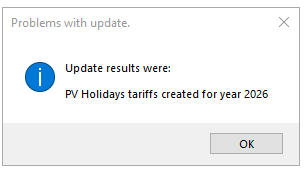
These are not system errors, and do not need to be reported to ParcVu Support - resolve the highlighted issues and you will be able to continue