☑️ Complete A Sale
Last updated 8 months ago
A sale is Complete once it is has had all monies paid, is Validated and has been handed over to the new Owner
Completion of a Sale is done automatically by the system when the Actual Handover Date is filled in after the Sale is Validated and the Sales Ledger balance is zero (ie all invoices relating to the sale are paid)
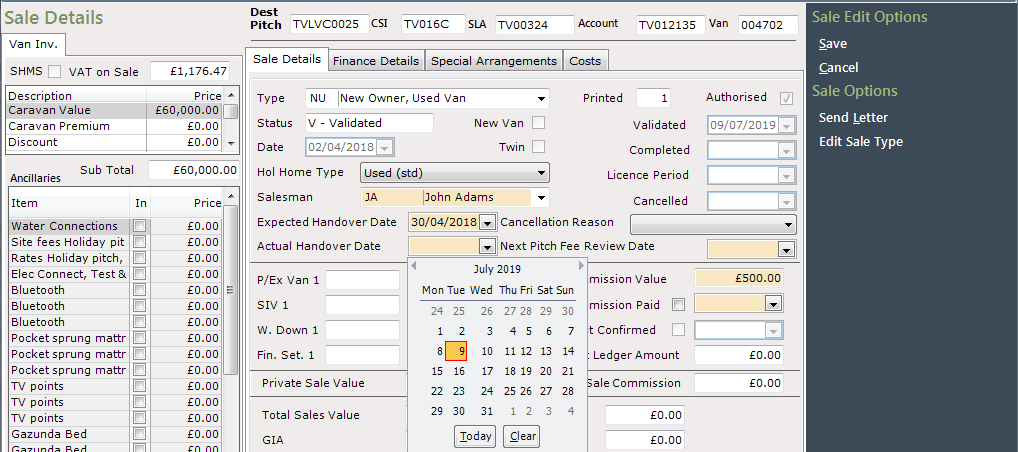
Select ‘Save’ and the Sale will be Completed
A common reason for the Sale not moving to Completed status is that the Actual Handover Date has been populated too early in the process - where this is filled in prior to Validating, the system cannot display the correct guidance notes to advise why a Sale cannot proceed further.
Removing the Actual Handover Date, saving the Sale, then re-entering the Actual Handover Date will cause the Sale to either Complete, or display the reason it cannot progress
From V43 onwards, users will not be able to enter an Actual Handover Date until the Sale is Validated