Cancel a Booking in ParcVu Desktop
Last updated 4 months ago
The Cancel a Booking function in ParcVu Desktop is only available to existing customers who previously signed up for the legacy ParcVu Bookings module. New subscribers will be offered enrolment in the Booking Experts module. Existing customers using legacy Bookings will be offered the opportunity to upgrade to Booking Experts - contact your Account Manager for more information
To cancel a Booking, navigate to the Booking Details screen of the required booking and select ‘Cancel Booking’ from the Navigation list.

A Cancel Booking pop up will be displayed, select the required Cancellation Date and the Cancellation ‘Reason’ from the drop-down list.
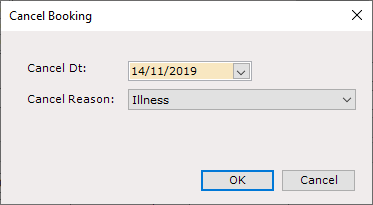
Click ‘OK’ and select ‘Yes’ to the ‘Are You Sure’ message.
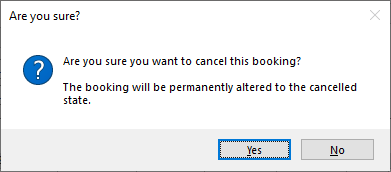
It is not possible to reverse a cancellation, please only proceed if you are certain you wish to completely cancel the Booking
A ‘Cancellation’ message will be displayed asking if you would like to notify the customer.
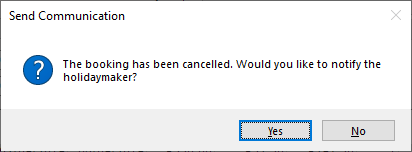
Selecting ‘Yes’ to this message will create the Booking Cancellation Letter to send to the Customer confirming that the Booking has been Cancelled
Cancelling a Booking will automatically Un-assign any Van or Pitch and availability will be updated for the booking Dates and Product Type
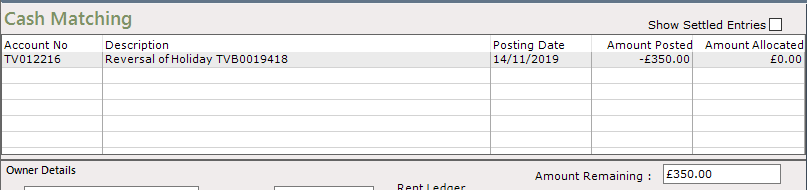
Cancellation of a Booking also creates a ‘Cancellation Posting’ which will appear on the Booking Ledger as a Reversal of the Booking Amount

This Cancellation Posting now needs to be Cash Matched to the Booking via the Cash Matching screen