Amend Booking Dates in ParcVu Desktop
Last updated 40 minutes ago
The Bookings function in ParcVu Desktop is only available to existing customers who previously signed up for the legacy ParcVu Bookings module. New subscribers will be offered enrolment in the Booking Experts module. Existing customers using legacy Bookings will be offered the opportunity to upgrade to Booking Experts - contact your Account Manager for more information
To use this function the user must have the Edit Bookings permission
Navigate to the Booking Details screen of the required booking. Select ‘Edit’ from the Navigation list and then ‘Change Booking Dates’
A pop up will appear;
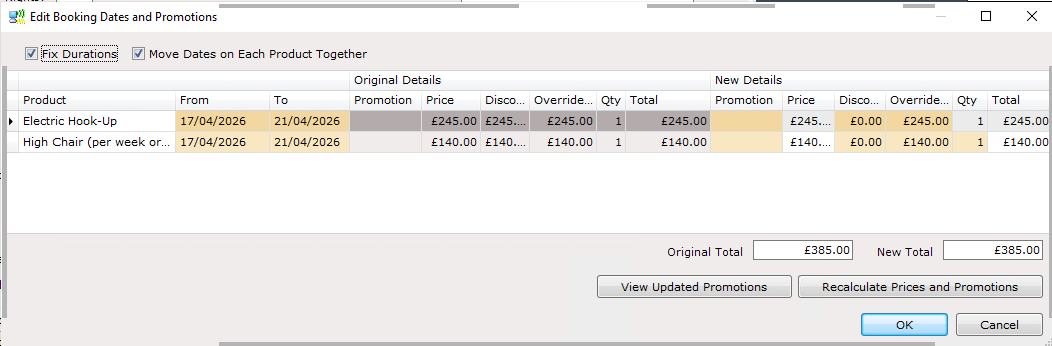
To keep the duration of the break the same leave the checkbox ‘Fix Durations’ ticked - amend the start date and the end date will update accordingly
To change the duration of the break uncheck ‘Fix Durations’, you’ll then need to amend the start and end dates to the desired break length
‘Move Dates on Each Product Together’ should generally always be ticked - this means that when the dates on the accommodation are changed, all Extras will be changed to dates to match
Changing the dates will not automatically recalculate the break price. You can choose to ‘recalculate prices and promotions’ using the button, manually update the pricing, or honour the original price
Press OK once your changes are made, then ‘Save’ from the navigation menu on the right hand side
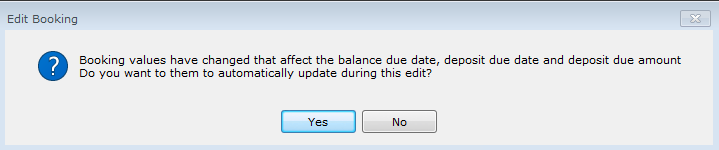
You will be prompted to decide whether or not to update due dates and amounts, select yes or no as appropriate