Upload a Park Map in ParcVu Online
Last updated 1 day ago
To enable the Park Map module, please contact ParcVu Support
Scan & Save the Map Ready For Upload
Scan your Park Map, or save a copy of an existing Map to a location on your computer
Upload the Map
To use this function the user will need the Allow System Access Menu user permission
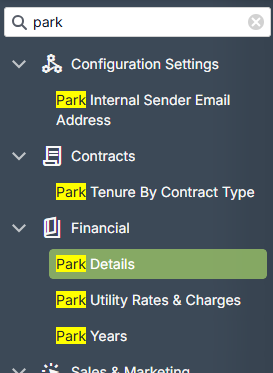
From the System Maintenance menu, go to Park Details under the Financial menu option
The System Settings menu is searchable in ParcVu Online - save time by finding the setting you’re looking for using a key word!
On the Park Details tab, press the Map button
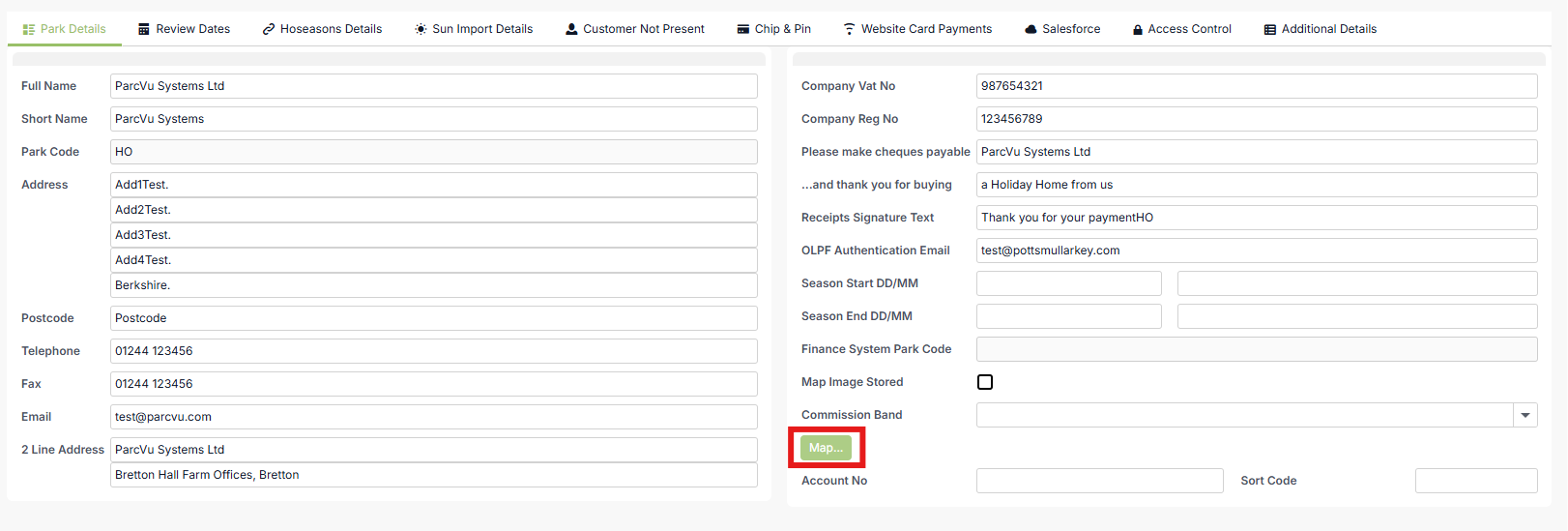
You’ll be prompted to find the file you saved earlier to be uploaded
Once you have uploaded your map, click Save at the top of the screen