☑️ Post Cash To An Individual Account In ParcVu Desktop
Last updated 8 months ago
To use this function, the user must have the Post Cash (Head Office Users) or Allow Park user Cash Posting(Park Users) permission. The option will not be shown unless the user has the correct permissions
Selecting to ‘Post Cash’ in a Sales, Bookings or Rent Ledger will display the ‘Cash Payment’ Screen.
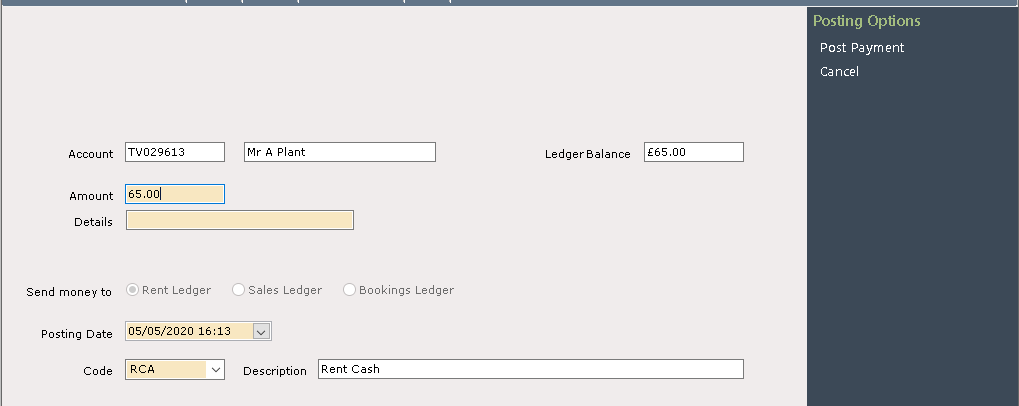
Enter the Payment amount in the ‘Amount’ field, if the Payment is by cheque, then the ‘Details’ field can be used to record the Cheque Number.
Ensure the correct Ledger is selected to post the payment to and select the correct code for the type of payment being made from the drop-down list in the ‘Code’ field at the bottom of the screen.
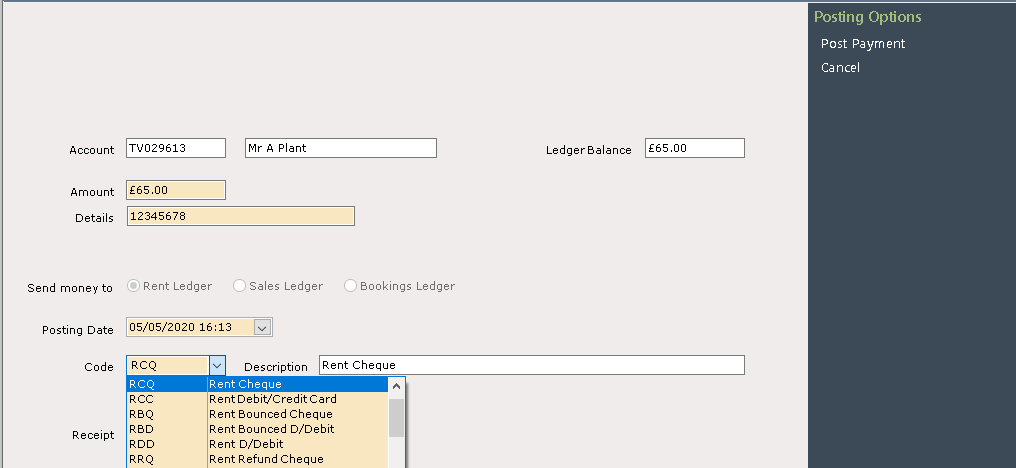
Select ‘Post Payment from the navigation list at the top right of the screen and a message will appear to confirm that the Payment has been posted.
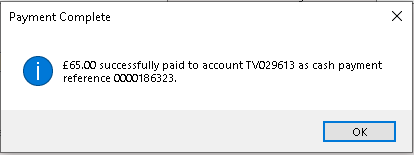
Click ‘OK’ and the Ledger Screen will be displayed showing the posted Payment.
