Set Booking Tariffs in ParcVu Desktop
Last updated 4 months ago
The Park Booking Tariff Periods function in ParcVu Desktop is only available to existing customers who previously signed up for the legacy ParcVu Bookings module. New subscribers will be offered enrolment in the Booking Experts module. Existing customers using legacy Bookings will be offered the opportunity to upgrade to Booking Experts - contact your Account Manager for more information
Booking Tariffs are the pricing structures which make up the price of a break
There are two different pricing structures for holiday prices
This pricing method can only be altered by ParcVu Support. If you’d like to change which calculation you use, please email support@parcvu.com and request this change. We cannot take this instruction over the phone, it must be raised via our Helpdesk software for auditing purposes
From Start Date: If this is the pricing method set, then the break will always be priced based on the tariff in effect on the first day of the break, regardless of whether it crosses into tariff periods with higher or lower pricing. For example, if a 7 night break starts in a tariff period that is £500 per week, but the final 6 nights are in a tariff period that is £750 per week, the break price will be £500
Pro-Rata: If this is the pricing method set, then the break will always be priced based on the nightly rate of the applicable tariff. For example, if a 7 night break starts in a tariff period that is £500 per week, but the final 6 nights are in a tariff period that is £750 per week, the break price will be £714.29 (500/7=71.43 per night for 1 night, 750/7=107.14 per night for 6 nights)
To access this functionality, the user must have the Allow System Sub Menu user permission
From the Home Screen, go to System Maintenance Sub Menu > Maintain Lookups > Booking Tariffs
Select the Park, Year, Product Type and Pricing Method (“View”) and click ‘Show’

The Price view allows you to enter pricing per night/break, whereas Minimum Fee allows you to enter a fixed price for the duration of a break
Minimum Fee is most often used for Extras, and Price is most often used for Accommodation/Touring
For example, if you charge a fixed fee of £25 per break for Cot hire, you would enter this as a Minimum Fee rather than Price. If you entered £25 as a Price, this would result in the guests being charged £25 per night
You will be presented with a table of all Durations, Dates and Grades which apply to the selected Park and Product Type

Click ‘Edit’ and enter the pricing as appropriate
If you have a large number of data to populate, or you need to alter existing data, it may be easier for you to use the Export function to export the grid to Excel, enter your data, then use the Import function to re-enter pricing into ParcVu
Once your pricing is entered, click ‘Save’ and then ‘Refresh Cached Pricing’ - it is important to note that pricing and availability will not be updated until the Refresh Cached Pricing action has been done
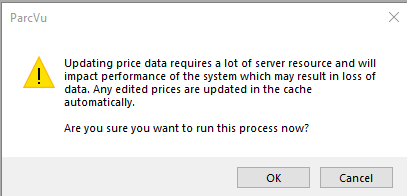
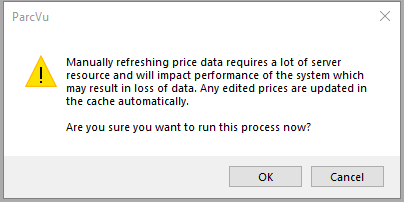
On both ‘Save’ and ‘Refresh Cached Pricing’, you will be warned that these actions require a lot of server resource - click ‘OK’ to proceed. This is not a system error and does not need to be reported to ParcVu Support - you must click OK on the warning to save your changes, or they will be lost when you exit
Troubleshooting Booking Tariffs in ParcVu Desktop
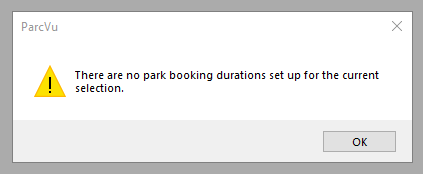
If this message displays, it means that Park Booking Durations have not been set up for the Park, Year and Product Type selected - this is a common mistake where for example you may have set up your Accommodation Park Booking Durations but forgotten to set them up for Extras or Additional Guests
Set up Park Booking Durations for the selected Park, Year and Product Type and you will be able to proceed
You can find out more about setting up Park Booking Durations here: Add Park Booking Durations in ParcVu Desktop
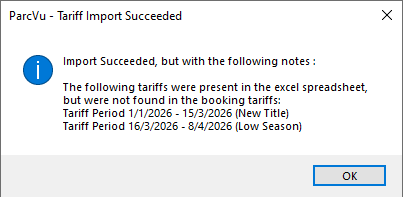
If you see a message like this when importing Booking Tariffs, this means you have tried to edit either a Description or a Tariff Period - this is not possible via the Export/Import pricing, this function should be used for updating the prices only - amend your spreadsheet to match the values in the original Booking Tariff export, and your import will succeed
These are not system errors and do not need to be reported to ParcVu Support.