Maintain Dynamic (Custom) Fields in ParcVu Desktop
Last updated 3 months ago
Dynamic Fields are Now Available in ParcVu Online!
This function is now available in ParcVu Online! For the best user experience, we recommend switching to ParcVu Online to ensure you always have access to the latest features. Find out more about Dynamic Fields in ParcVu Online here: Dynamic (Custom) Fields in ParcVu Online
Continue in Desktop
To create or edit Dynamic (Custom) Fields, the user must have the Allow Maintain Dynamic Fields user right
It is possible to set up custom fields on the following record types, without the need to pay for costly development work
Prospects
Sales
Vans
Pitches
Bookings
Accounts
Parks
Jobs
Creating A Dynamic Field in ParcVu Desktop
Navigate to System Maintenance Sub Menu, then Maintain Dynamic Fields
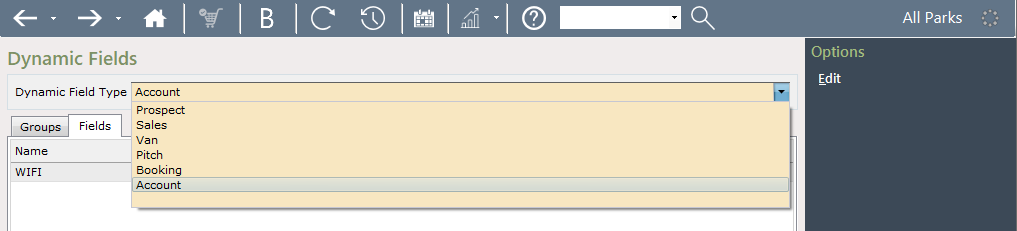
Via the Maintain Dynamic Fields screen select, ‘Add New’, Select the Dynamic Field Type (this means the type of record you’d like to create a new field for):
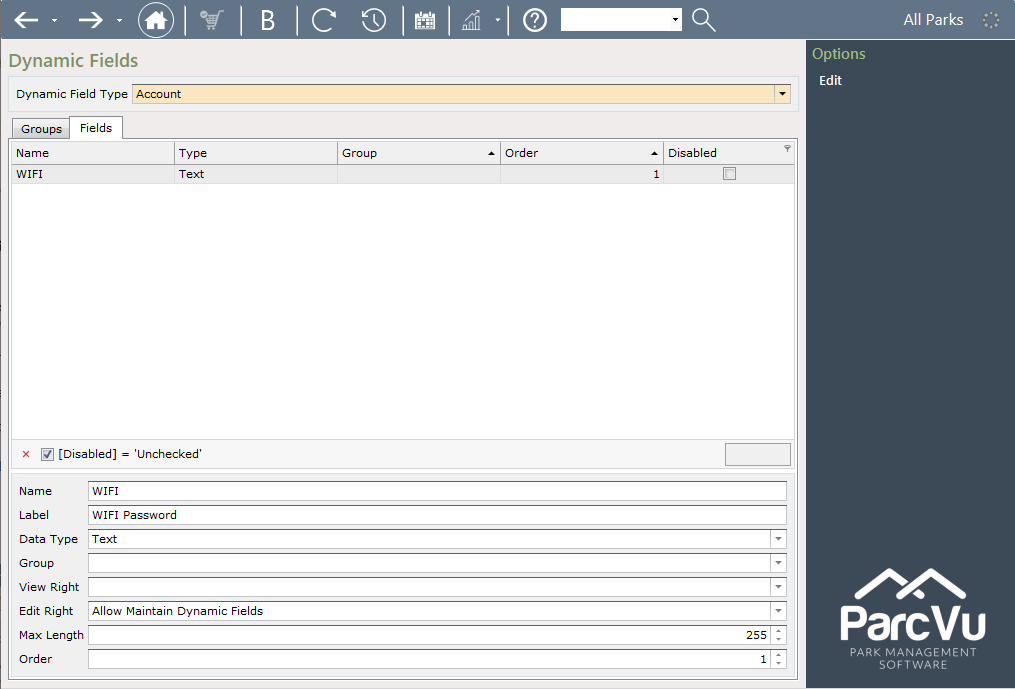
Enter the details for the new field(s) and select the required permissions for use
You can leave the View Right and Edit Right blank if you’d like all users to be able to see/edit these fields. If you’d like to control access, simply enter the permission the user must have to be able to see or edit. This must be an existing user permission, it’s not possible to create custom permissions
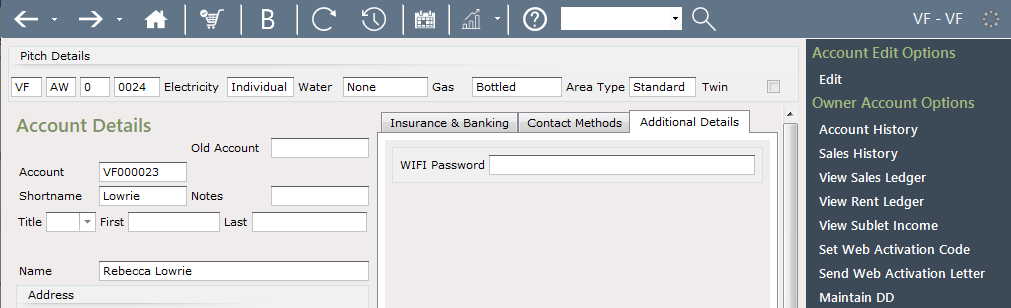
Select ‘Save’ and the new fields will show on the Additional Details tab in whichever area was selected, i.e. Prospects / Bookings / Accounts / Van Details screens.
We also have a video demonstrating this process with an example, you can find it here: Creating Dynamic Fields