Batch Pitch Repairs in ParcVu Desktop
Last updated 4 months ago
The Batch Pitch Repairs function in ParcVu Desktop is only available to existing customers who previously signed up for the legacy ParcVu Bookings module. New subscribers will be offered enrolment in the Booking Experts module. Existing customers using legacy Bookings will be offered the opportunity to upgrade to Booking Experts - contact your Account Manager for more information
There may be instances where multiple touring pitches need to be made temporarily unavailable for Bookings - for example where an area of the Park is undergoing development works, or there is temporary flooding in bad weather. This can be done in bulk rather than needing to set each Repair separately
To access this function, the user will need the Allow System Maintenance Sub Menu and Edit Repairs user permissions
From the Home Screen, go to System Maintenance Sub Menu > Batch Pitch Repairs
The ‘Find Pitches for Repairs’ screen will then be displayed.
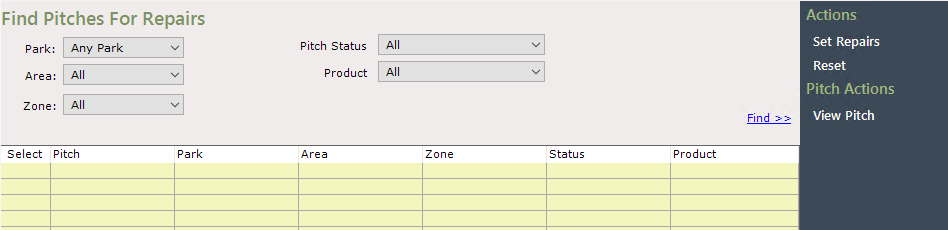
If your Park is set to All Parks in the top right of the screen, then the ‘Park’ filter will automatically be set to ‘Any Park’. To choose a specific Park, ensure you have it chosen in the top right
Use the filters to find the Pitches to place under Repair
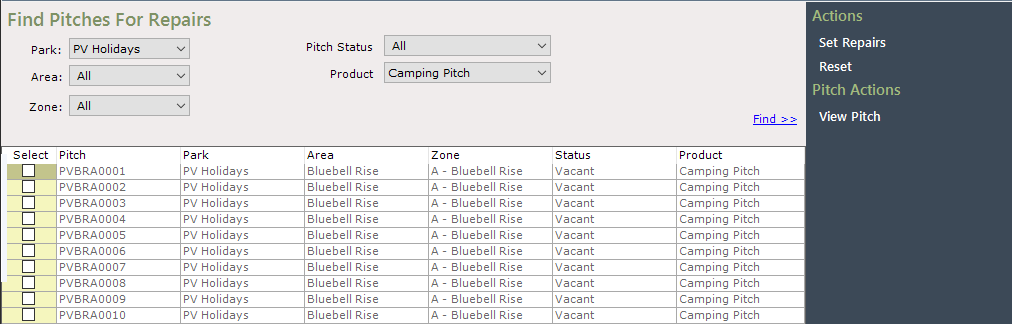
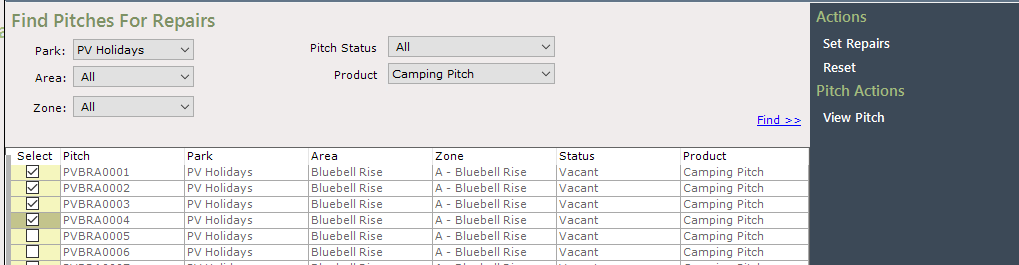
Select the required Pitch(s) by clicking into the in the ‘Select’ column to tick and select (or ‘Select All’ at the bottom to choose all the displayed pitches at once) then click Set Repairs on the navigation menu on the right
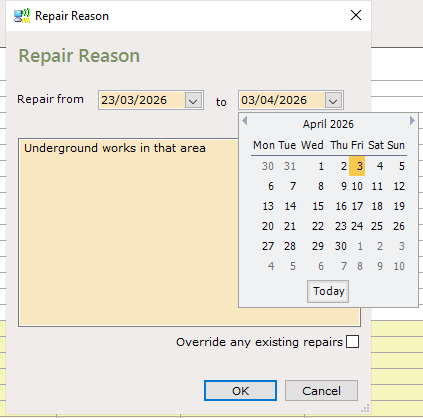
The ‘Repair Reason’ pop up will then be displayed
Either manually type in the Repair dates, or use the calendar function to select the ‘from’ and ‘to dates
Enter the reason for the Repair, and choose whether to override any existing repairs
Click OK once finished, and the detail will be added to all selected Pitches