Add Agent Reserved Units in ParcVu Desktop
Last updated 4 months ago
The Agent Reservations function in ParcVu Desktop is only available to existing customers who previously signed up for the legacy ParcVu Bookings module. New subscribers will be offered enrolment in the Booking Experts module. Existing customers using legacy Bookings will be offered the opportunity to upgrade to Booking Experts - contact your Account Manager for more information
If you work with Booking Agents (sometimes called OTAs) such as Hoseasons and do not have full integration with them, you can indicate specific units for their use. This does not prevent other Bookings being made into the units by your Team, but can serve as an indicator if for example there’s an agreement that a specific number of units should be available to a specific Agent primarily
Agent Reservations indicate the period during which a unit is available to be booked by a specific Agent
If you have full integration with an OTA (for examples, Hoseasons OneConnect), you do not need to use Agent Reservations, as availability is updated in real-time
To create Agent Reservations, the user must have the Can Reserve Vans for Booking Agents user permission
For the user to be able to create or assign Bookings within an Agent Reserved unit, they will need the Can Assign Bookings to Agent Reserved Vans and Can Book Agent Reserved Availability user permissions
From the Home Screen, go to Bookings Sub Menu > Bulk Agent Reservations
The ‘Find Available Units’ screen will then be displayed
Use the filters to choose the Park, Accommodation Type, Booking Product (Grade) and period you’d like to reserve the unit(s) for, then click find

Select the required Unit(s) from the list displayed by clicking into the box in the ‘Reserve’ column on the left, or use the ‘select all’ option at the bottom of the grid, then click Reserve Units from the navigation menu on the right hand side

The ‘Select Agent’ message will be displayed. Use the dropdown list to select the required Booking Agent to reserve the units against
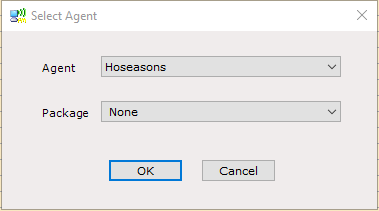
Click ‘OK’, the Reserved Unit(s) will disappear from the grid.