Booking Agent Rates in ParcVu Desktop
Last updated 4 months ago
The Booking Agent Rates function in ParcVu Desktop is only available to existing customers who previously signed up for the legacy ParcVu Bookings module. New subscribers will be offered enrolment in the Booking Experts module. Existing customers using legacy Bookings will be offered the opportunity to upgrade to Booking Experts - contact your Account Manager for more information
It’s possible to set different Commission Rates per Booking Product (Grade) per Park for a given Period, depending on your agreement with that Agent
To access this function the user will need the Allow System Maintenance Menu user permission
From the Home Screen, go to System Maintenance Sub Menu > Maintain Lookups > Booking Agents Rates
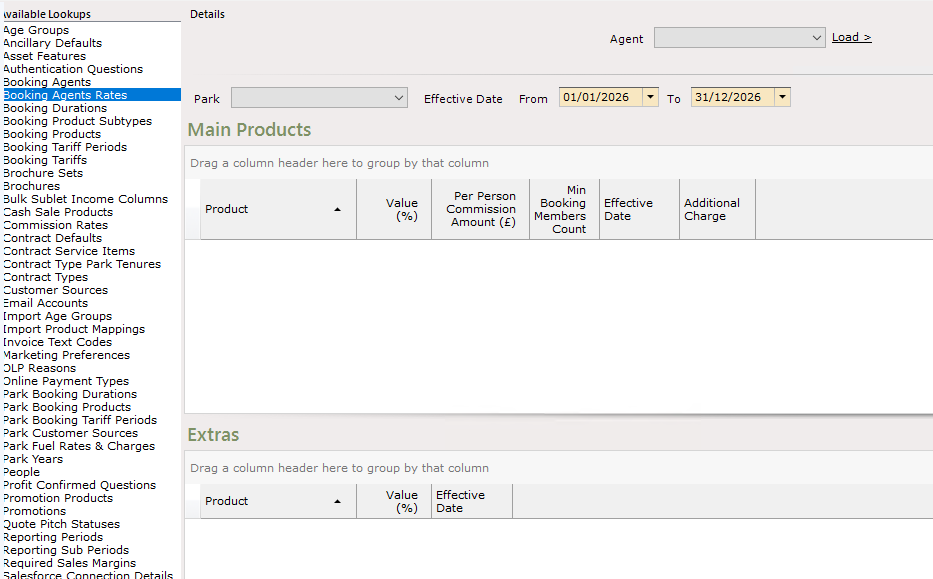
Select the required Agent and click ‘Load’, then use the filters below to select the Park and Effective Date
Effective Date will default to the current calendar year
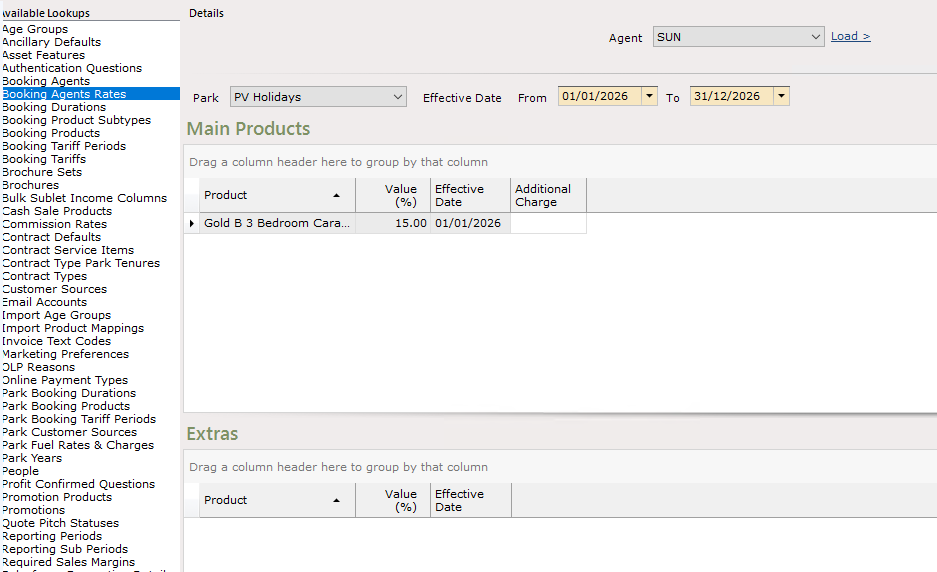
Select ‘Edit’ on the navigation list and any Commission vales that require changing can be done by entering the required value against the product
To add new Product Commissions, select Edit and enter the details on the new empty line which is added. This process should be repeated for both Accommodation/Touring and Extras Products which are available through that Agent
Click ‘Save’ on the navigation list when done
Copying Rates to Another Park
If the rates are the same for all Parks, you can set the rates against a single Park then copy these across in bulk. Selecting to ‘Copy Park Commissions’ allows the commission rates for the selected Agent and Park to be copied to all the other parks for the selected Agent.
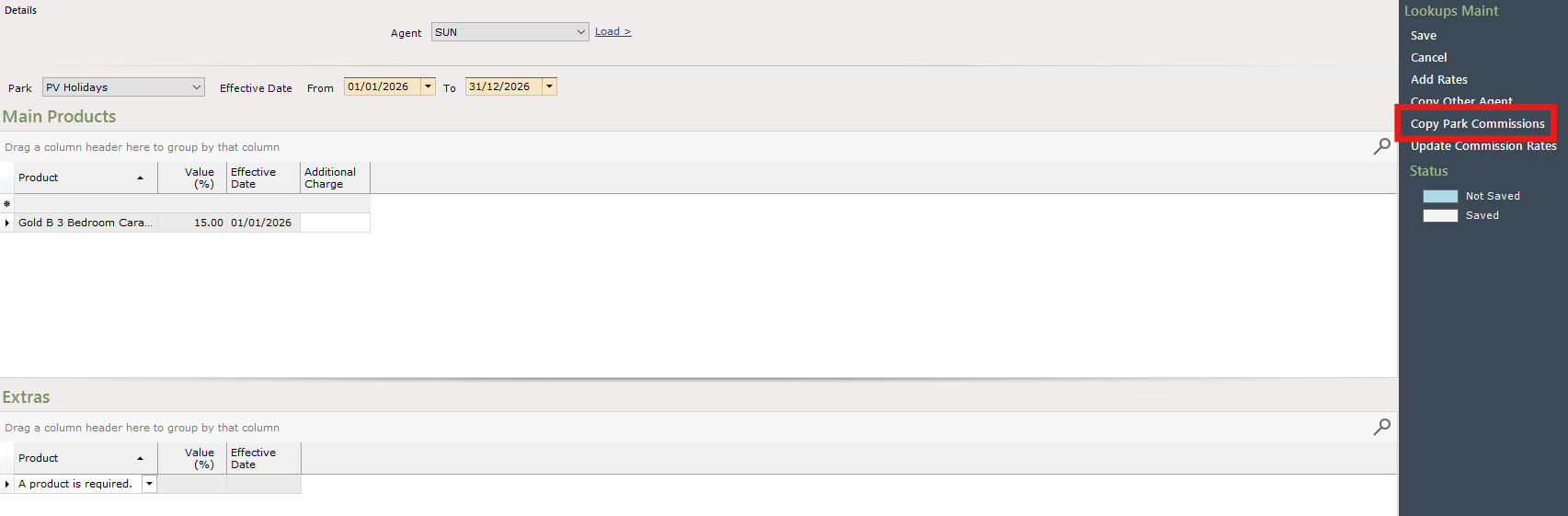
When doing this, you’ll be presented with a pop up which advises you what this action will do, and asks you if you want to continue
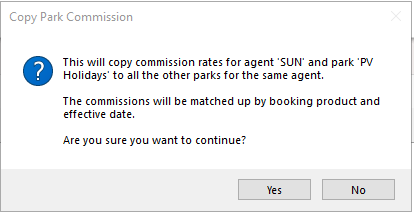
This is not a system error and does not need to be reported to ParcVu Support - select Yes if you’re happy to copy the rates to all other Parks, or No if you wish to cancel this process
Remember to Save after making this change