Find a Booking in ParcVu Desktop
Last updated 4 months ago
The Find a Booking function in ParcVu Desktop is only available to existing customers who previously signed up for the legacy ParcVu Bookings module. New subscribers will be offered enrolment in the Booking Experts module. Existing customers using legacy Bookings will be offered the opportunity to upgrade to Booking Experts - contact your Account Manager for more information
From the Home Screen, go to Bookings Sub Menu > Find Bookings
The ‘Find Booking’ screen will be displayed
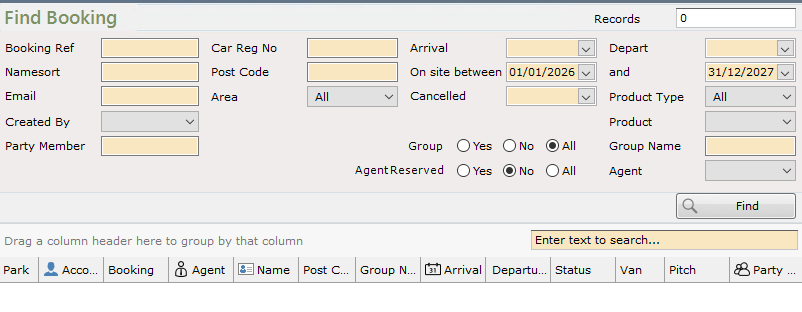
Use the available filters to find the specific Booking(s) you’re looking for
Once initial filtering returns results, you can choose to filter further by using the filters in the column headers - hover over the column header and the filter icon will appear to select

Note that the column filters are dynamic filters - they’ll only contain filter options that exist in the grid. For example, although the Park has multiple Agents, in this case the initial search only returned Hoseasons Bookings, so the other Agents aren’t available to select
To view the details of a Booking, either double-click it in the grid, or click ‘View Booking’ from the navigation menu on the right hand side