Add a Booking to an Existing Group in ParcVu Desktop
Last updated 4 months ago
The Group Bookings function in ParcVu Desktop is only available to existing customers who previously signed up for the legacy ParcVu Bookings module. New subscribers will be offered enrolment in the Booking Experts module. Existing customers using legacy Bookings will be offered the opportunity to upgrade to Booking Experts - contact your Account Manager for more information
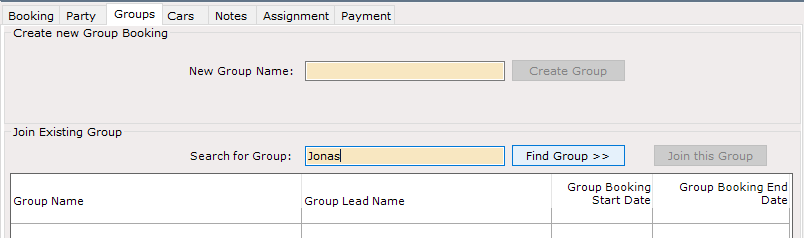
To add a booking to an existing Group, select ‘Edit’ and in the ‘Groups’ tab on the Booking Details screen, enter the required Group Name and click on ‘ Find Group’
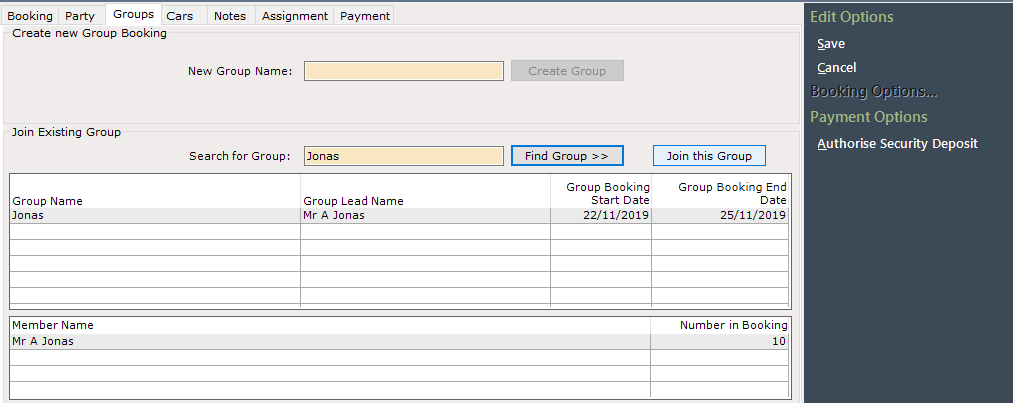
The existing Group will be displayed, click on ‘Join this Group’ and select Save. The Booking will now be linked to the selected Group
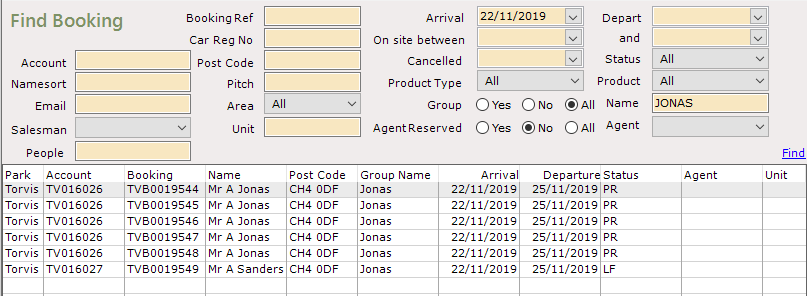
There is a search option on the ‘Find Booking’ screen called Groups, which if selected will return details of Group Bookings, the newly added booking will now be associated with the selected Group.
Bookings can be added to existing Groups during Booking Creation or once the booking has been created