Upgrade a Booking in ParcVu Desktop
Last updated 4 months ago
The Upgrade a Booking function in ParcVu Desktop is only available to existing customers who previously signed up for the legacy ParcVu Bookings module. New subscribers will be offered enrolment in the Booking Experts module. Existing customers using legacy Bookings will be offered the opportunity to upgrade to Booking Experts - contact your Account Manager for more information
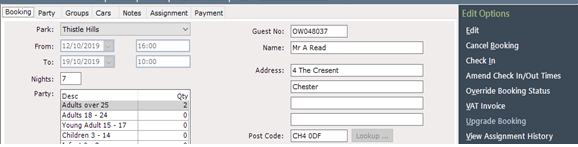
To change the Booking Product on a Booking, you can use the ‘Upgrade Booking’ option - although the option is called ‘upgrade’, you should use this whenever you want to change the booking product including ‘downgrades’
Select ‘Upgrade Booking’ on the navigation list and the upgrade screen will be displayed, showing the original Booking Product in the top grid and a list of all available Booking Products to select from
The option to Upgrade Booking won’t appear if the Booking is already Checked In - if you need to upgrade a guest who is already Checked In, use the ‘Override Booking Status’ function to set the status back to ‘Confirmed’ - don’t forget to set back to Checked In after making your changes!
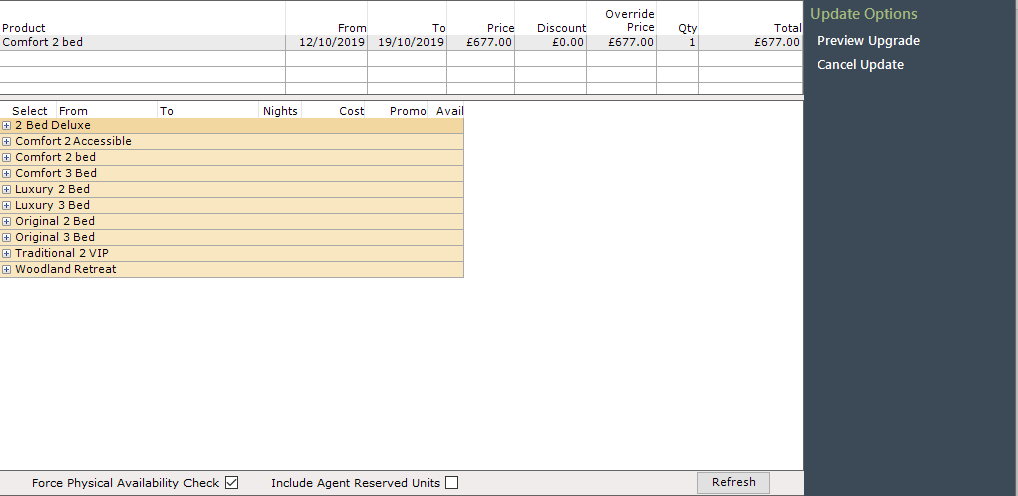
You can only upgrade/downgrade to the same type of break - you cannot change a touring break to an Accommodation break or vice versa
If a customer wants to change their type of break, you’ll need to cancel the existing one and rebook - you can use the same Booking Account to make the new Booking, so the previous payments can be allocated to the new break
Double click on the on the left of the required Booking Product to expand the tree and the price of this product will be displayed
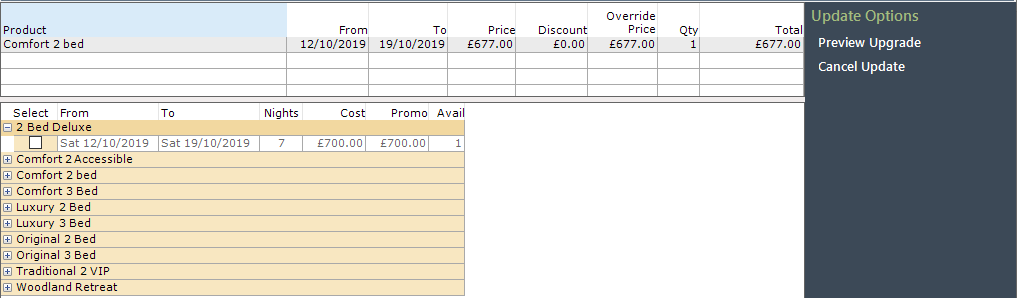
Click into the product to tick and select it and then select ‘Preview Upgrade’ from the navigation list.
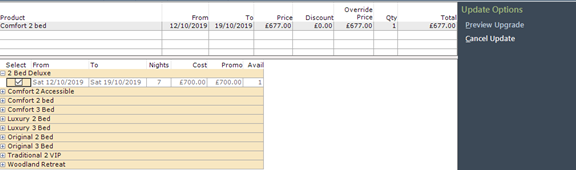
The system will then add the selected booking Product to the bottom grid on the screen and show any difference in price between the original product booked and the selected upgrade product.
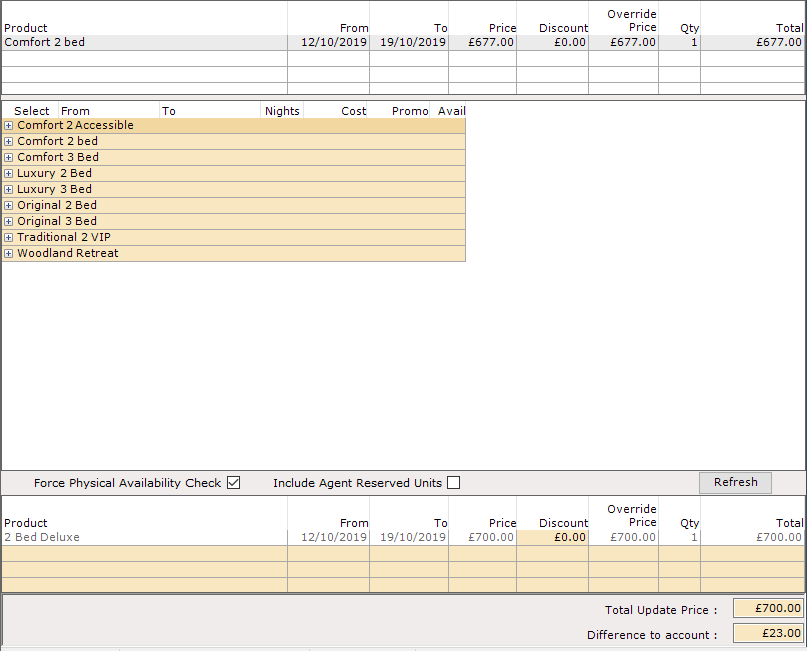
To proceed with the upgrade, select ‘Update Booking’ from the navigation list

It’s not possible to ‘upgrade’ Hoseasons bookings as this creates problems with integrations. If you need to make a change to a Booking Product on a Hoseasons Booking, please contact Hoseasons Support for advice