☑️ Delete a User in ParcVu Desktop
Last updated 9 months ago
To access this area of the system the user will need either need the Supervisor Account or to have the Superuser and Allow System Maintenance Menu user permissions
Go to System Maintenance Sub Menu > Maintain Users
From the ‘Users’ Details screen, double click on the required User to select them and then select ‘Delete User’ at the bottom of the pop up screen.

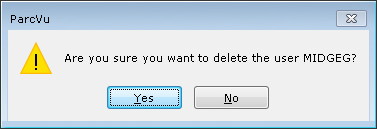
Confirm ‘Yes’ to the ‘Delete User’ message
Delete User doesn’t remove the history of the User from the system, it simply deactivates the User Account and hides it from the active list. You’ll still be able to see their past actions, and audits won’t be changed
Deleted a User in error, or have a returning team member? Find out how to reinstate a deleted User here: Reinstate a Deleted User