Blacklist a Booking Guest in ParcVu Desktop
Last updated 4 months ago
The Blacklist Guest function in ParcVu Desktop is only available to existing customers who previously signed up for the legacy ParcVu Bookings module. New subscribers will be offered enrolment in the Booking Experts module. Existing customers using legacy Bookings will be offered the opportunity to upgrade to Booking Experts - contact your Account Manager for more information
In some circumstances you may wish to prevent a Guest from returning to your business - this is usually related to the behaviour of the Guest during their break, for example they caused damage or were abusive to team members. In this case, the Blacklist Guest function can be used to ensure they cannot make a future Booking without review
To use this function, users will need the Blacklist a Guest user permission. There is an additional permission called Remove Guest from Blacklist for cases where you may wish to accept Bookings from the customer again
To Blacklist a Booking Guest, navigate to the Booking Account Details screen.
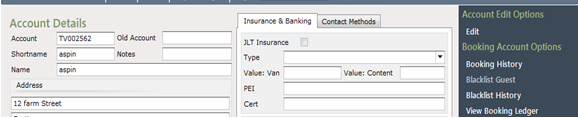
Select ‘’Blacklist Guest’ from the Navigation list. A popup screen will be displayed, to allow the reason for the Blacklisting to be entered
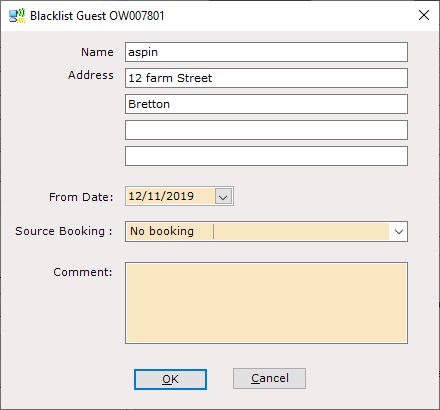
In the ‘From Date’ field, set the date that the Blacklisting is to take effect.
Use the drop-down list in the ‘Source Booking’ field to select the correct Booking Reference to tie the blacklisting to and enter any required details about the blacklisting in the ‘Comment’ field.
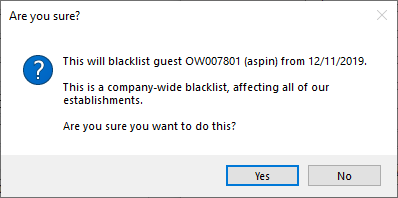
Click ‘OK’ and a warning message will be displayed.
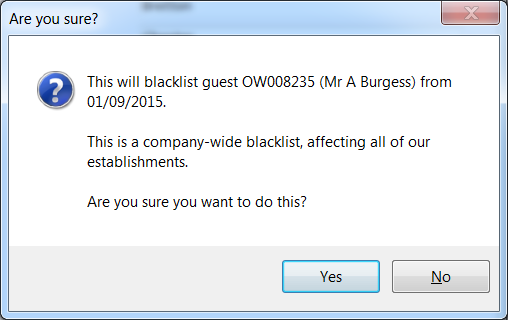
Blacklisting applies across All Parks, not just the Park the where the Guest was staying at the time
Click ‘Yes’ if appropriate. The selected Booking Guest will now be Blacklisted.
Should the guest telephone again to make a booking, when the account is selected during the Make a Booking process A warning message will be displayed informing of the Blacklisting and showing any details that were given for the Blacklist
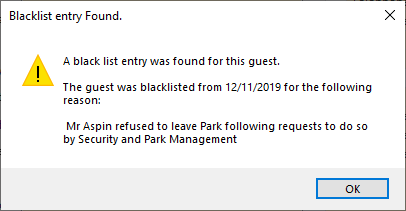
If someone at the same address tries to make a Booking, the Blacklist warning will be displayed to advise of this so that you can make the decision whether or not to accept this Booking
It is possible to make a booking for a Blacklisted guest; however, the booking will be created with a status of ‘Referral’. The booking will not be able to be progressed from this status unless a User with the permission to ‘Remove Guest from Blacklist’ does remove the Blacklisting and then the booking can continue as normal. If a ‘Referral’ booking is made and is not to be accepted, the booking can be cancelled in the normal way, using the ‘Cancel Booking’ option on the Navigation list.
If a Booking Guest has been 'Blacklisted', then the details of this can be viewed from the Booking Account Details screen:

From the Booking Account options section of the Account Details screen select 'Blacklist History' Any Blacklist Records for the selected Bookings Guest will be displayed
The ‘Remove from Blacklist’ option will only display for users with the required permission