Search for an Account in ParcVu Desktop
Last updated 3 months ago
Find Screens are Now Available in ParcVu Online!
This function is now available in ParcVu Online! For the best user experience, we recommend switching to ParcVu Online to ensure you always have access to the latest features. Find out more about the customisable and exportable Find Screens in ParcVu Online here: Find Screens in ParcVu Online
Continue in ParcVu Desktop
From the Main Menu, select Account.

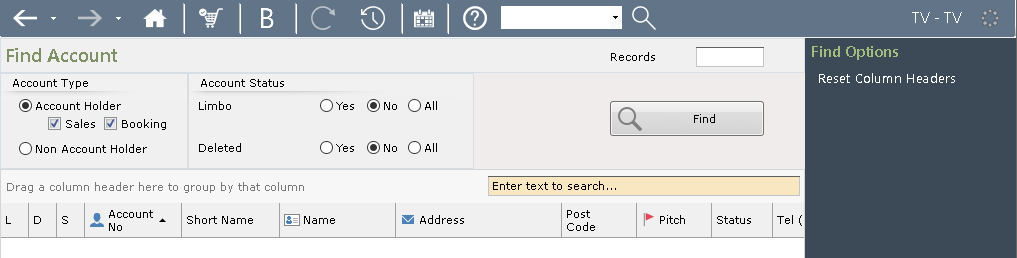
Selecting this option from the Main Menu brings up the ‘Find Account’ screen.
Any of the options and fields at the top of the screen can be used to filter and search for the required Account.
To Search for an Owners Accounts or a Non-Owner account or a Booking Account, select/deselect appropriately in the ‘Account Type’ field.
Limbo Accounts
A Booking Account is always in Limbo
The Account status options allow the selection of current active Owners or ‘Limbo’ accounts (Owners who have left or Bookings Accounts)
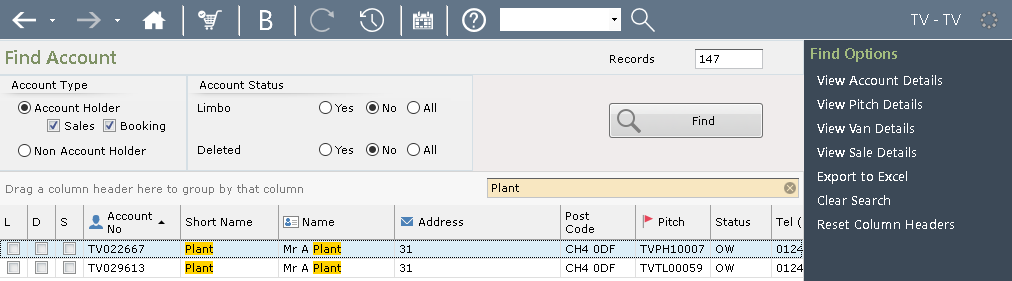
‘Short name’ and other searches can be done by entering the required details into the free text search field and clicking ‘Find’.
The results will then be displayed.
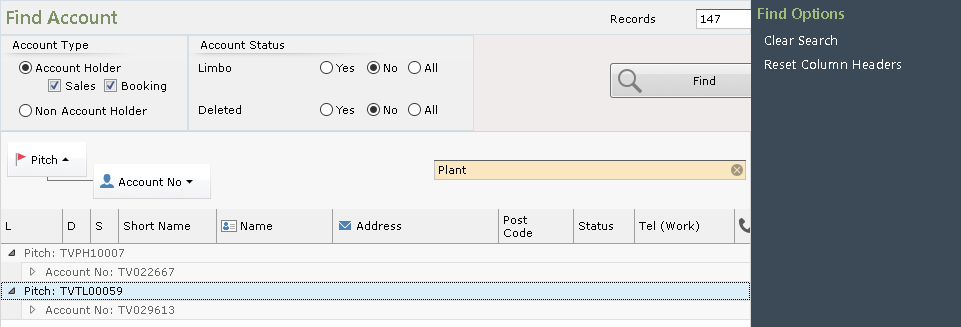
The column headers can be dragged and dropped to group search results.
Click on the required Account in the grid to highlight your choice and select from the Navigation list on the right-hand side of the screen, or double click on the highlighted Account and the ‘Account Details’ screen will be displayed.

The Account Details screen gives a brief ‘Pitch’ summary and the ‘Account Details’ section shows all the current Account information.
If you need to ‘Add’ or ‘Amend’ any information, click on ‘Edit’ from the Navigation list on the right-hand side of the screen, make the additions or amendments, then click ‘Save’ from the Navigation list on the right. The new details will then be displayed.
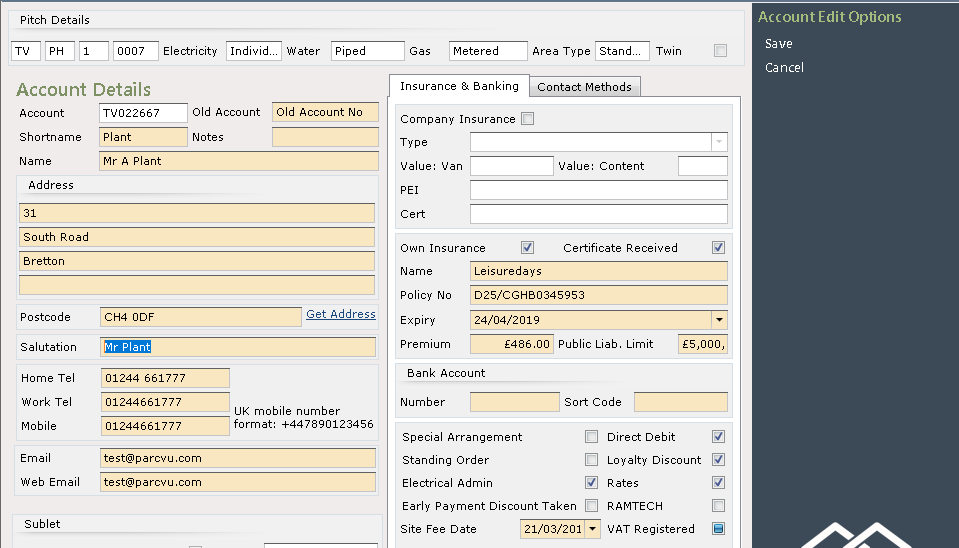
Again, there are many further options available to view or access from the from the Account Details screen via Navigation list right.