Amend Booking Check In/Out Times in ParcVu Desktop
Last updated 4 months ago
The Bookings function in ParcVu Desktop is only available to existing customers who previously signed up for the legacy ParcVu Bookings module. New subscribers will be offered enrolment in the Booking Experts module. Existing customers using legacy Bookings will be offered the opportunity to upgrade to Booking Experts - contact your Account Manager for more information
To use this function, the user will need the Amend Check In/Out Times permission

Navigate to the Booking Details screen of the required booking. Select ‘Amend Check In/Out Times’ from the Navigation list - this option will not be displayed if the user does not have the required permissions
The ‘Amend Check In/Out Times’ pop up will be displayed, showing the current Check In/Out Times
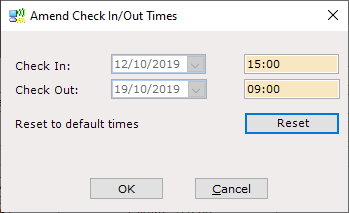
Click into the time field for ‘Check In’ and enter the required new Check In Time, do the same again for Check Out if required
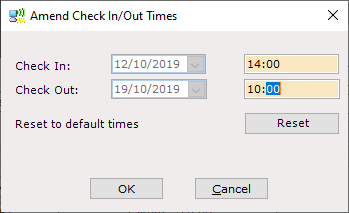
Click ‘OK’ and the new times will update to the Booking Details